01
Build it.
Swap parts and options. The model updates as you click, and only valid combinations are offered.



SERVICES · 3D PRODUCT CONFIGURATORS
Let buyers build your product, see what each part does and look inside it, from a normal web link. For products with options, modules and a story a PDF can't tell.
Sales, product and marketing teams selling machines, devices, vehicles, equipment or buildings, where buyers need to understand the options before they talk to you.
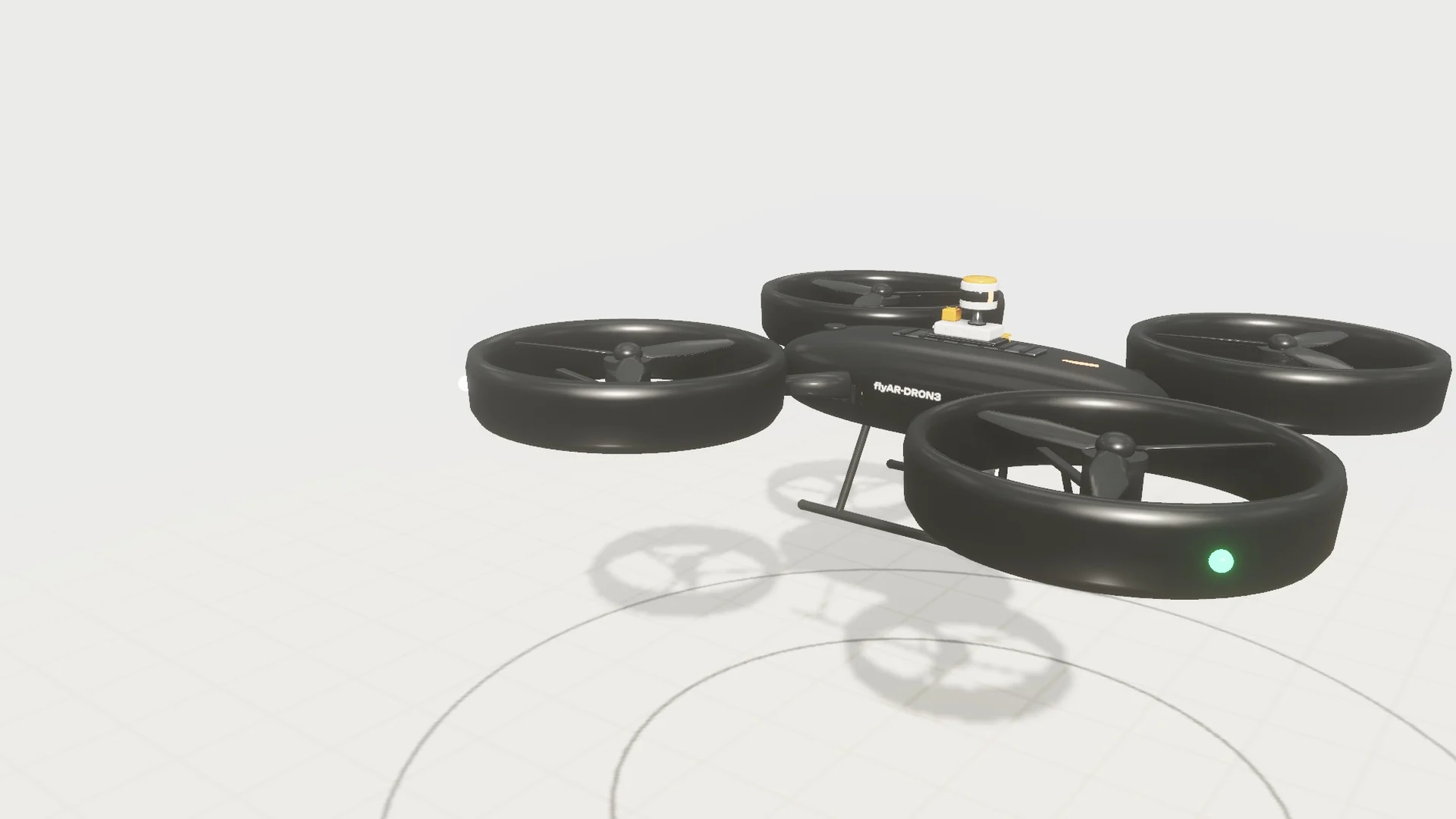
A concept drone we built to show what a configurator can do. Swap the modules, switch the power source, run the demos and open the hull. On a phone, tap AR to place it in your room.
A flyAR studio concept. The drone and its figures are fictional.
Open full screen01
Swap parts and options. The model updates as you click, and only valid combinations are offered.
02
Where useful, optional short demos show what a part does. Parts that explain themselves do not need one.


03
Cutaways open the product and explain what is under the cover, one part at a time.

04
Weight, range, power or price can update with every choice, from your own data.

05
Explore colour, material and finish options from one model.

06
On compatible phones, View in AR opens the chosen setup at real size. No separate app to install.

Don't have everything? Start with what you have. On the first call we'll tell you what's worth building, and what's not.
We list what can change, what depends on what, and what the buyer needs to understand.
CAD or 3D files are cleaned up and lightened so they load fast in a browser.
Options, rules and specs, driven by your own product data.
Cutaways, labels and guided views that explain the product, with optional demos where useful.
Load times, controls and readability on the phones and laptops your buyers use.
Embed it, share it as a link or run it on a screen. AR, stills and videos come from the same model.
Yes. We convert and lighten CAD or other 3D files so they run in a browser. Your engineering files stay with you.
Yes. Phones get their own layout, with the 3D view full screen and the controls in a sheet at the bottom.
In this demo, tap View in AR to see your chosen configuration at real size. On a supported iPhone or iPad, it opens Apple's AR Quick Look; use Safari for the most direct route. On a compatible Android device, it uses WebXR in Chrome and requires permission to use the camera. Availability depends on the device and browser. On a computer, the AR button shows a QR code that opens the same configuration on your phone.
Yes. The chosen setup can be passed to your quote form, CRM or webshop as a link or as data. We agree the connection as part of the project.
You can update texts. We agree how those updates are made as part of the project. New 3D parts go through us.
No. The drone is our demo. The same approach works for machines, vehicles, devices, furniture and buildings.
Place buildings, artworks, objects, and story layers into the real world at a scale people can understand on site.
App-free AR launched from QR, links, image targets, packaging, print, floor placement, and browser-opened campaign paths.
Interactive browser-based 3D presentations for products, places, networks, and ideas that need more than a flat render.
Drone-enabled Gaussian splatting for places, construction sites and cultural heritage that need to be explored online.
AR / XR expertise for workshops, lectures, concepting, and feasibility checks. Always tailored to client specs.
Turn drawings, BIM, and renders into experiences buyers, residents, and approvers can open and explore.
Capture a destination as a photo-derived 3D scene that visitors can explore from a normal browser link.
Explain anything physical with an interactive browser-based 3D model people can open on any device.
Sell spatial media with spatial tools. Let buyers inspect stations, vehicles, and venues in context.
Make place-based stories walkable, visible, and memorable. Designed for the real signage, languages, and maintenance.
Extend packaging, POS, showrooms, and events into an app-free / browser-based brand moment people can open without installing anything.
AppsFlyer's 2025 benchmark across 28 billion installs puts Day-1 retention at around 25%. AR apps sit below that floor, because every reviewer is a single-use case, not a habit. WebAR removes the funnel. The link that opened the experience the first time still opens it the second.
Source: AppsFlyer 2025 · Adjust 2026
Read what installs cost an AR campaign