Five ways to show real scale on location: physical-model AR, 1:1 site testing, VPS-tracked public-space AR, a shopping-centre activation, and real-scale construction visualization.
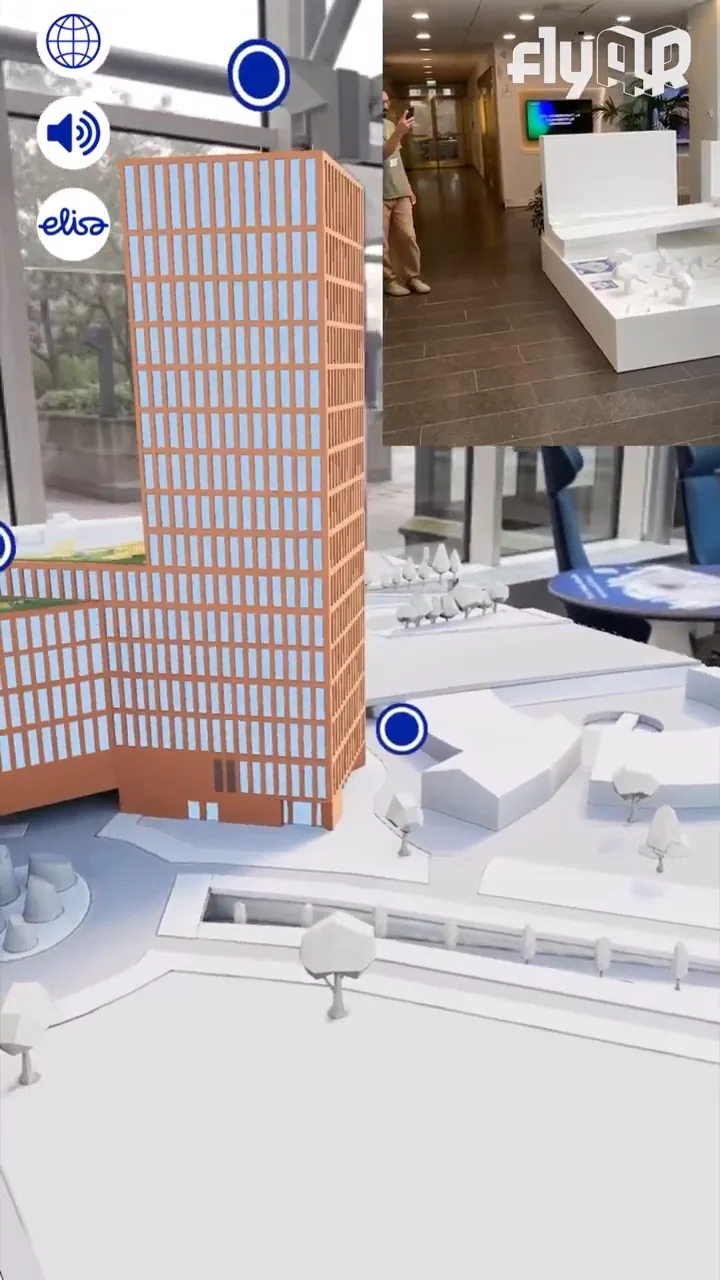
Physical scale model AR for Elisa HQ, created together with PunaMusta Coloro for Elisa.
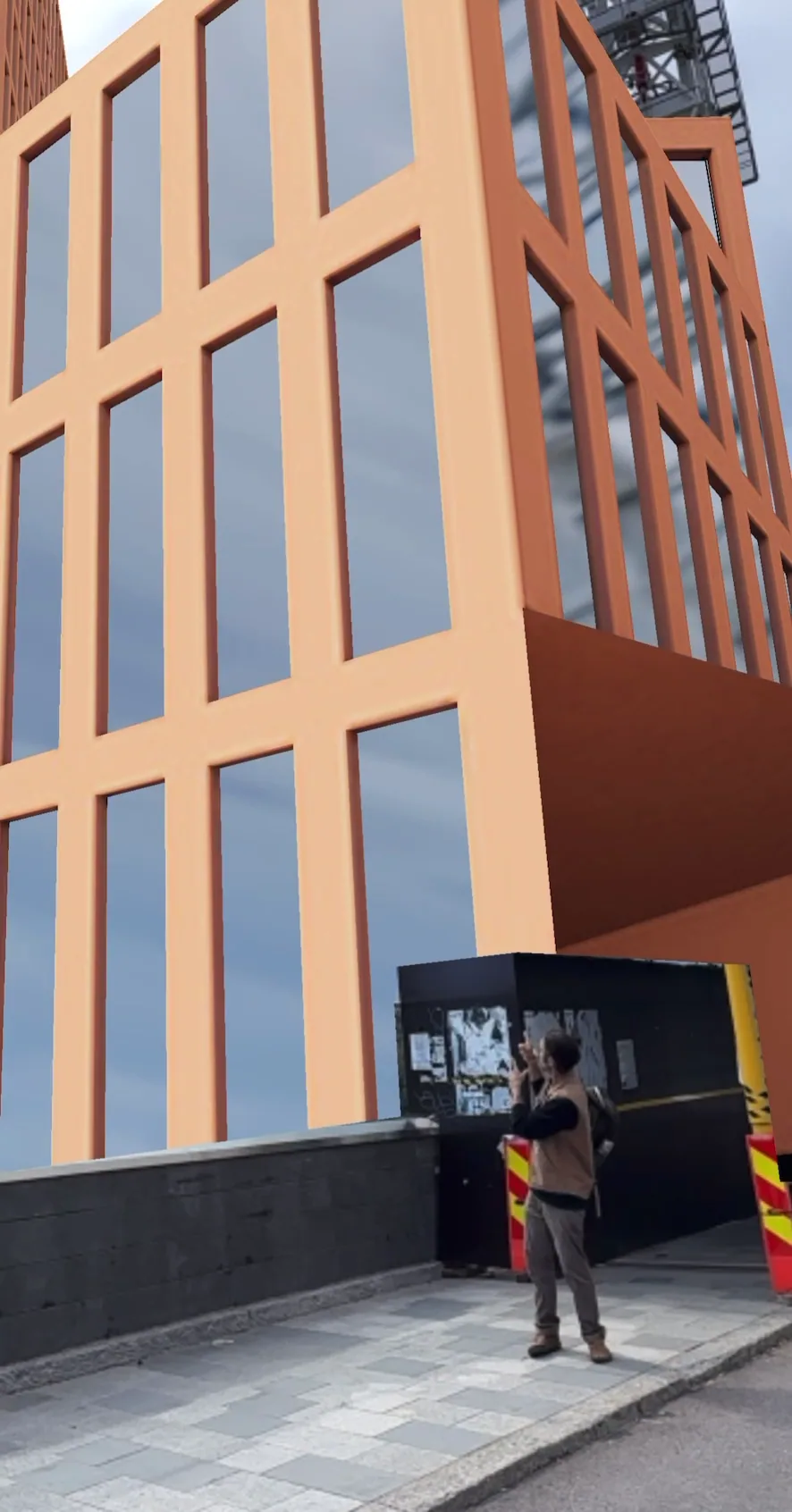
flyAR R&D test: The Node placed near the site at real scale.
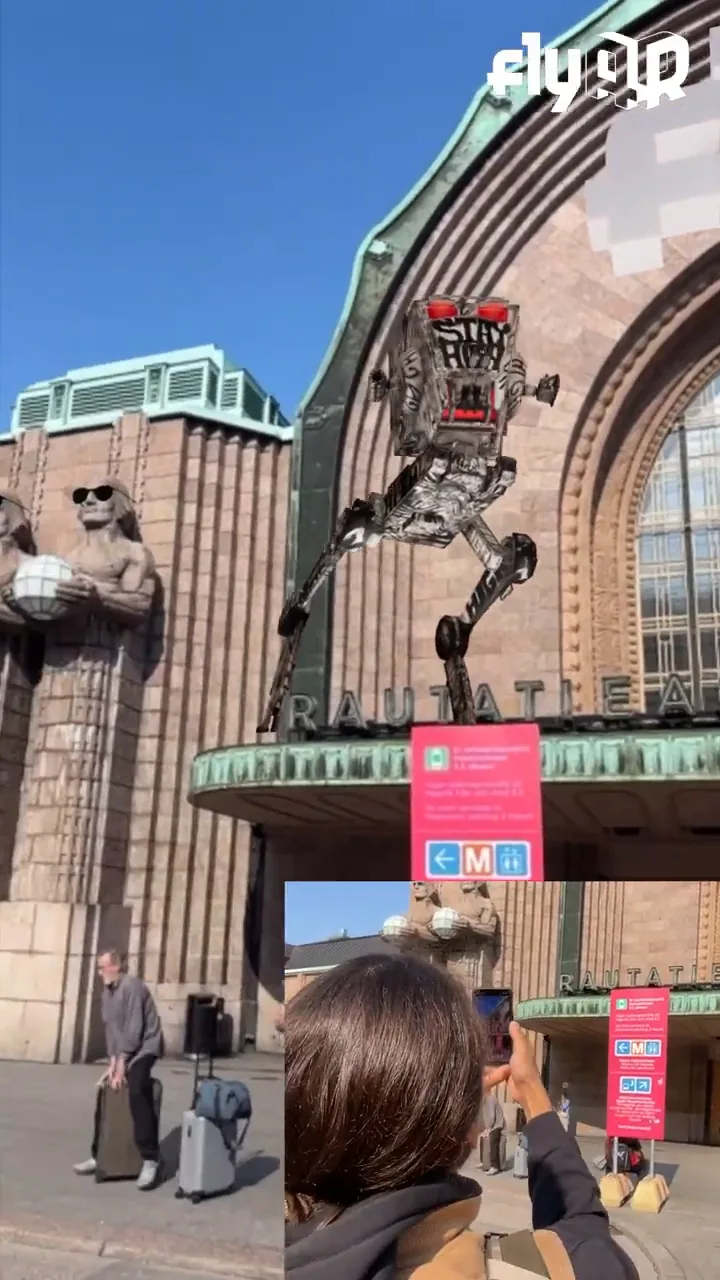
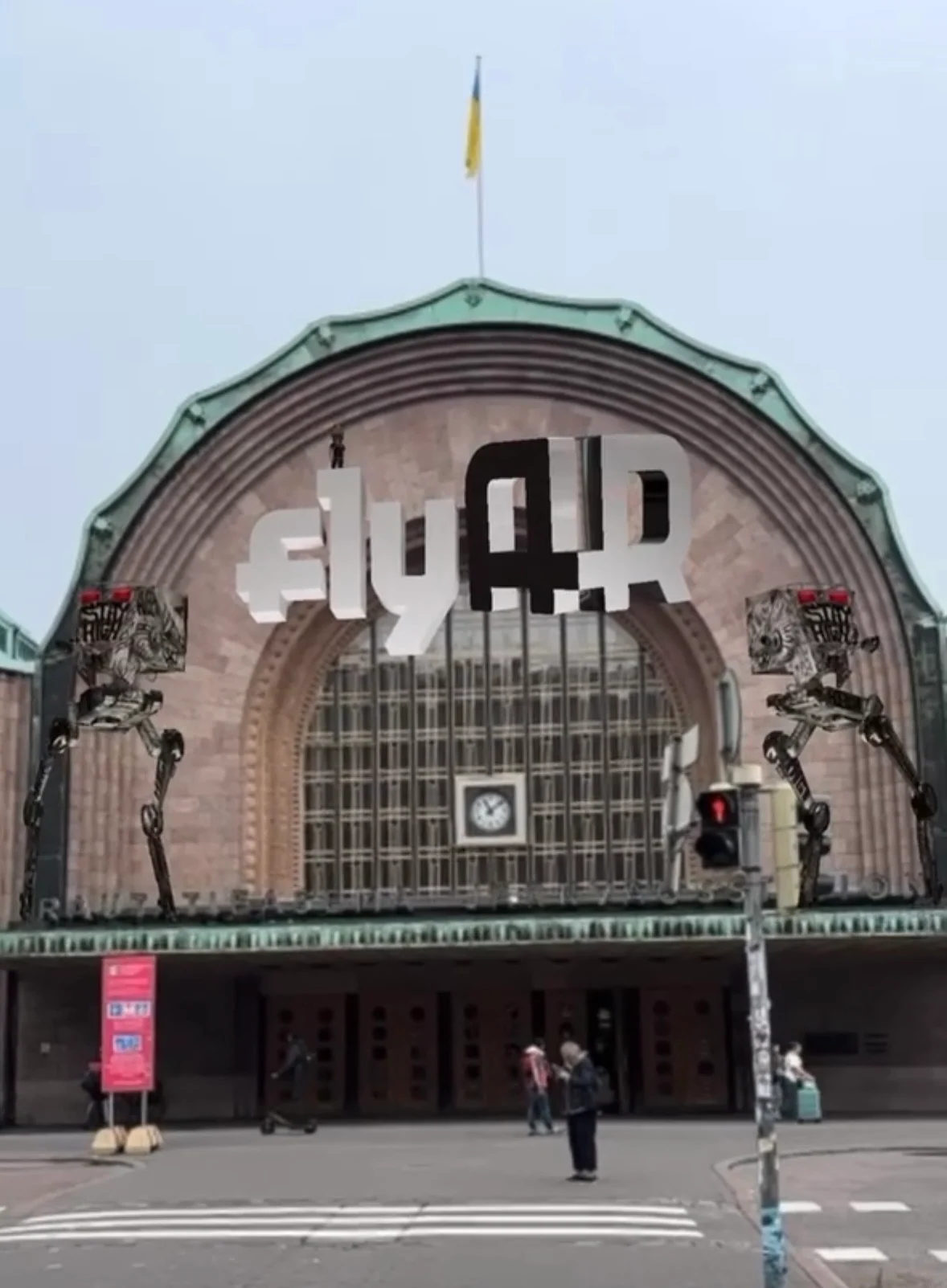
HI-GH robots tested in central Helsinki with large-scale VPS-tracked AR.
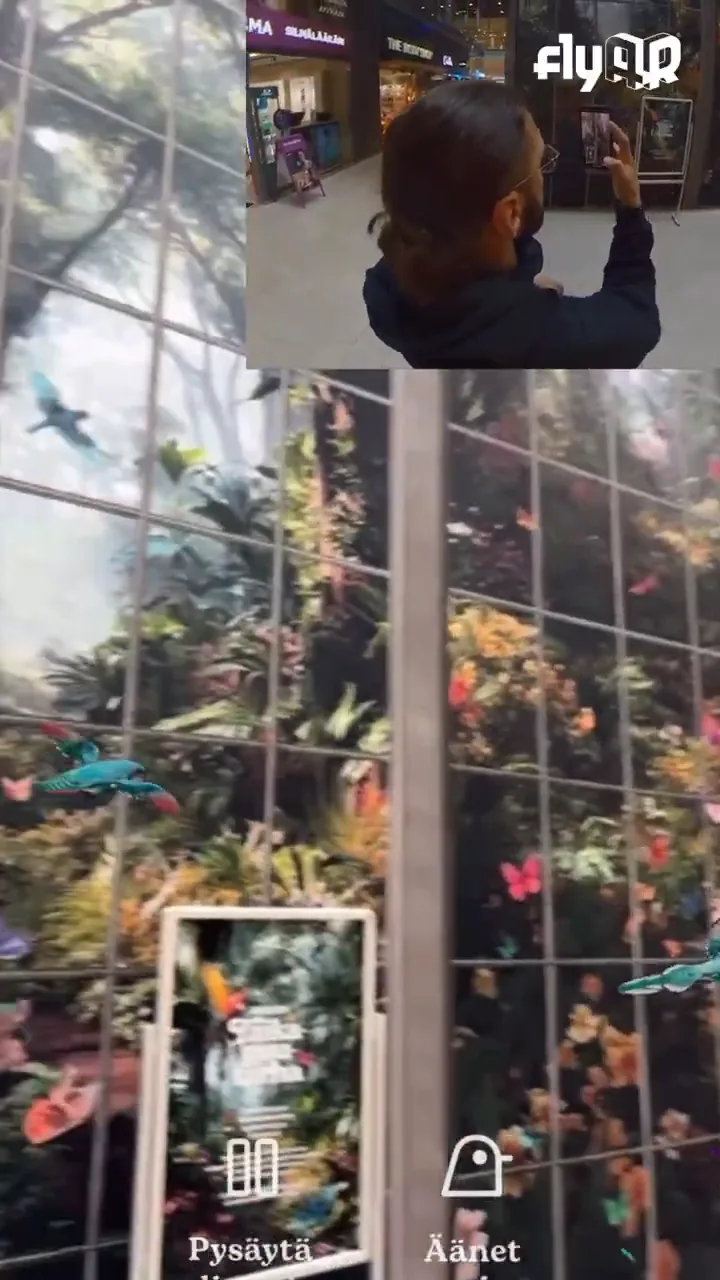
Lataamo × Sello: AR birds and butterflies moving through a public mall environment.
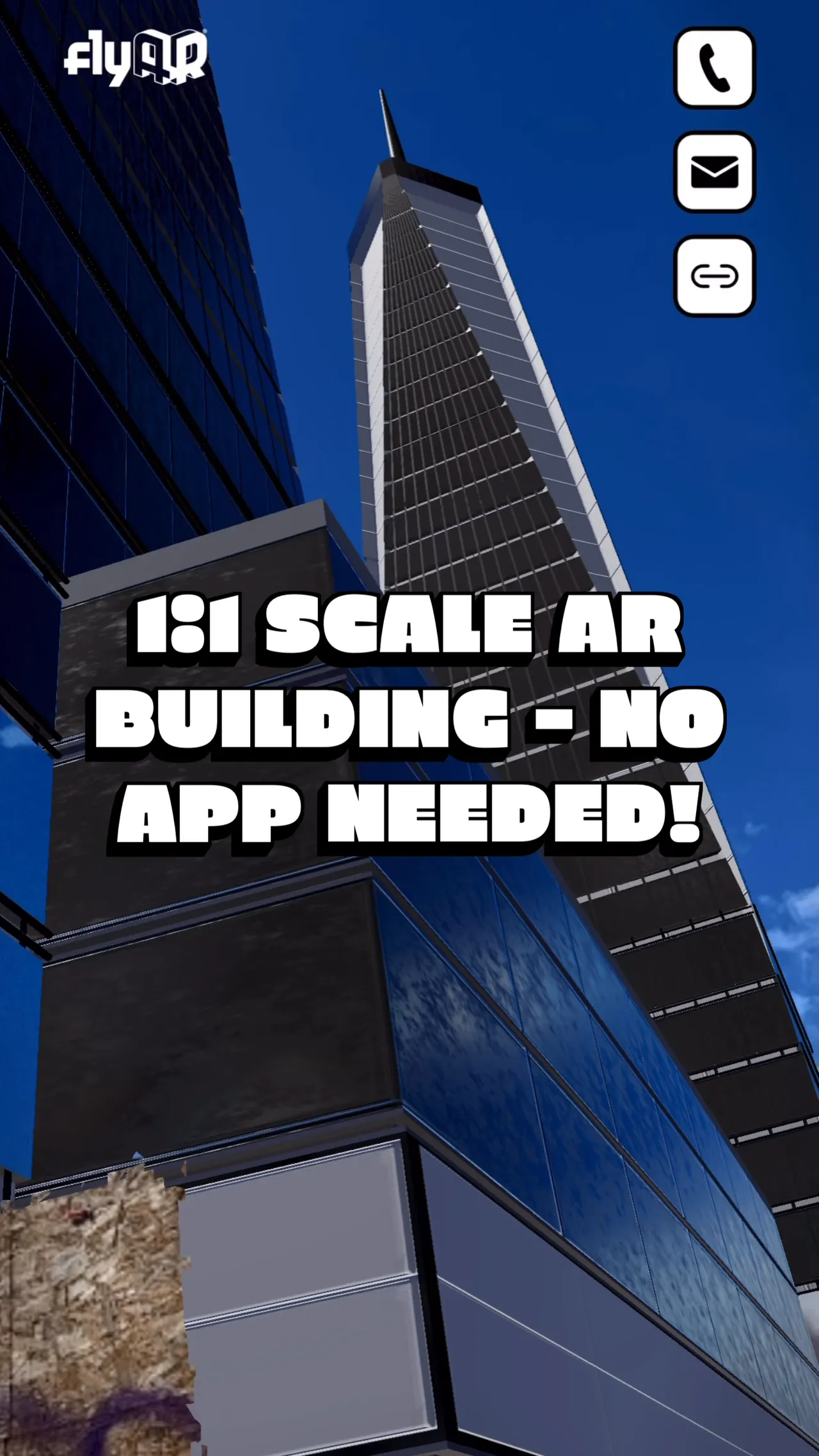
Real-scale construction view for site and stakeholder communication.
For who · why now
Teams planning construction, public-space communication, cultural routes, events, exhibitions, or spatial prototypes where augmenting the real environment is a key part of success.
What it earns the buyer
Show scale, placement, and context in the place where the decision or visit happens.
Turn a future, past, hidden, oversized, or hard-to-imagine thing into a walkable phone experience.
Use the same set of 3D assets across on-location AR, online 3D, sales links, and supporting media.
What you get
Real-scale AR view for phones or tablets where site and device conditions support it
Location-aware or target-based AR launch flow with QR, signage, or guided demo material
Fallback browser 3D or WebAR version for audiences who are not physically on site
We plan from the place, not just the model
A 3D asset, BIM export, scan, or object reference
Photos, video, or a visitable location
A map, route, target image, or signage plan
The audience and viewing situation
Brand or campaign material
Don't have everything? Start with what you have. On the first call we'll tell you what's worth creating, and what's not.
Large-scale AR works best when the real surroundings matter. These examples show physical-model AR, real-scale site testing, VPS-tracked public-space AR, and construction-scale visualization.
Same six steps, adapted to each project's requirements. The first call decides where to enter and what to skip.
01
Define the on-site job
Decide what the audience needs to understand in the place itself: scale, placement, hidden layers, future change, a route, or a public-space story.
02
Check the location
We look at access, lighting, surface detail, VPS suitability, signage, safety, weather exposure, and how people will actually hold the phone.
03
Plan the VPS anchoring
Large-scale AR is anchored with a visual positioning system (VPS). Together we identify the most important viewing angles, scan or reference the place, and confirm whether the location has enough stable visual detail for reliable positioning.
04
Prototype at real scale
A rough working version comes early so scale, legibility, labels, loading, and device behavior can be tested before the full experience is polished.
05
Build the public path
We optimize the 3D, design the mobile interface, create the launch flow, prepare QR or signage material, and add a browser fallback when the audience is not on location.
06
Publish, reuse, amend
After launch, the content can keep moving with the project: labels, model states, information layers, and calls to action can be amended as plans progress. The same interactive 3D experience can also be published through other AR formats or as an online experience for audiences who are not on site.
FAQ
The questions buyers actually ask. Open one to read.
Q01Does large-scale AR work without installing an app?+
By default, yes. Large-scale AR runs as App Clips on iOS and WebXR on Android, so the audience opens it from a link or QR instead of installing a full app. Reliability is usually best on iOS because Android devices vary much more.
Q02How accurate is the placement?+
Alignment depends on the scale, visual detail, and viewing conditions of the physical space. For communication use it is accurate enough to show a construction site in place at real scale or place an AR hat accurately on a sculpture, but it is not surveying-grade measurement.
Q03When is this better than online 3D?+
Use large-scale AR when the real place changes the meaning: a future building in your city, an AR layer on top of sculptures, an artwork in a square, or a visitor route where physical context matters.
Q04Can the same asset be used elsewhere?+
Yes. A well-prepared 3D asset can often support the on-location AR version, an online 3D embed, sales material, events and trade shows, WebAR for augmenting all relevant print materials, and short videos.
Q05What can make a location difficult?+
Flat reflective surfaces, minimal detail in structures or surfaces, poor lighting, crowded movement, limited access, weak mobile data, weather, and device variation can all affect the experience. Those are planning inputs, not afterthoughts.
AppsFlyer's 2025 benchmark across 28 billion installs puts Day-1 retention at around 25%. AR apps sit below that floor, because every reviewer is a single-use case, not a habit. WebAR removes the funnel. The link that opened the experience the first time still opens it the second.
Rework runs around 12% of a typical construction budget. Peer-reviewed BIM studies in 2025 report that putting an optimised 3D model in front of stakeholders before the first pour prevents at least a third of that, and as much as half on projects that share the model early. One Asian rail case caught 3,000 design clashes and shaved 12% off construction cost on its own.
Shopify's own data, drawn from millions of stores. The 65% sits next to a 94% conversion lift on stores that add any 3D content, and a 40% drop in returns when AR closes the imagination gap. The mechanism carries from product pages to construction, museums, and brand work.