
Brand & retail
3D product configurators for complex products
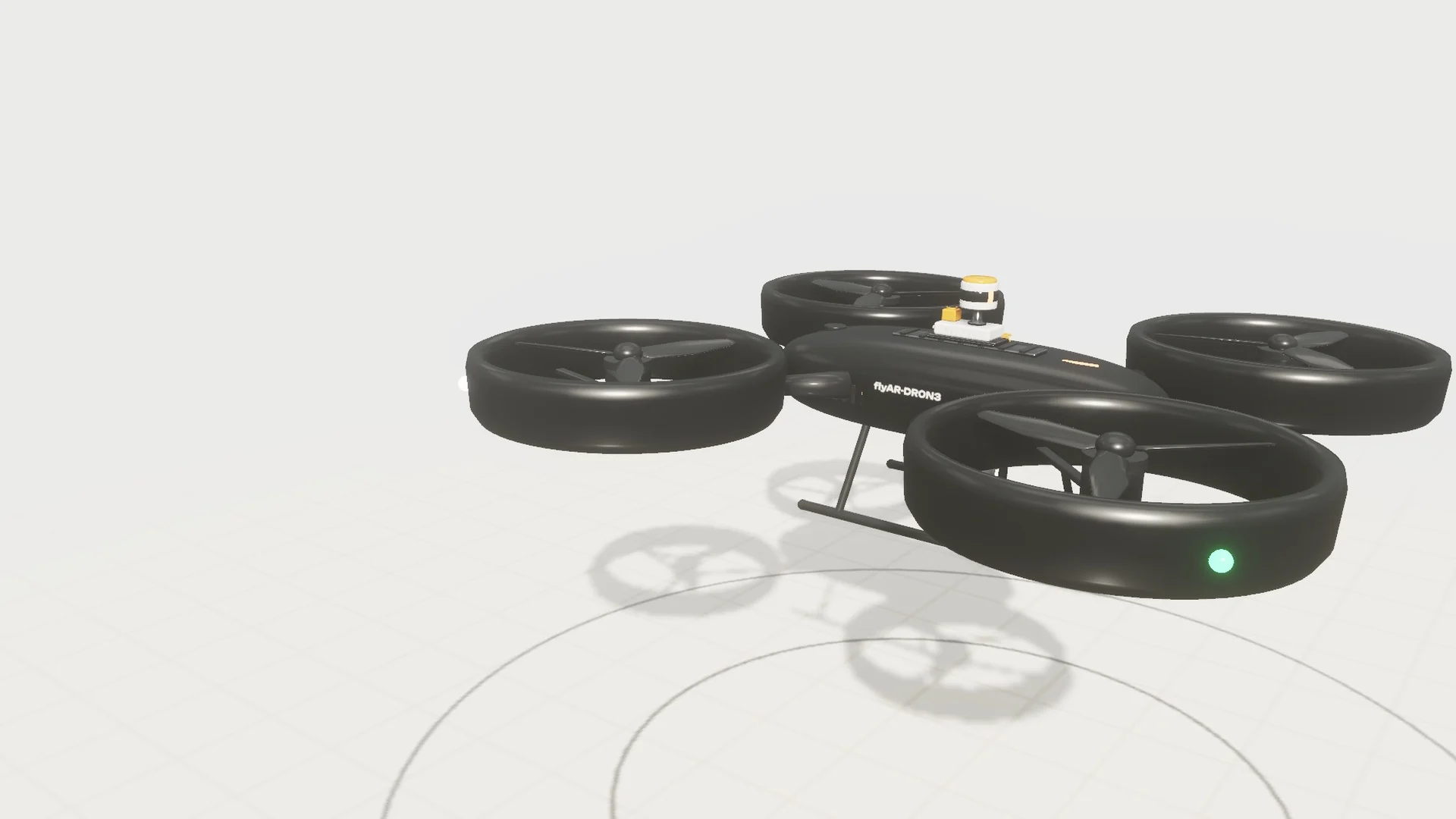
Great tech, sad JPEGs
In October I spent a day at a dual-use drone pitching event. The tech on stage was seriously impressive: modular payloads, clever power systems, sensors I had to look up afterwards.
Then I opened the companies' websites. A static render here, a stock photo of a sky there, and spec tables full of acronyms. Hardly anyone had 3D that showed what their product actually does.
Nobody was hiding anything on purpose. Showing what's inside a complex product, and why it matters, is just hard with photos and bullet points. So we built a drone of our own to show how it could be done. It doesn't exist, which made it a lot cheaper to develop.
What a 3D product configurator actually is
A 3D product configurator is an interactive, real-time 3D view of a product that buyers control themselves, usually right on a web page. They can change options, finishes and modules, rotate and zoom, and see the result update instantly.
The ones we build go a step further, because for complex products the interesting part is often what you can't see from outside. So besides picking options, buyers can:
- Look inside. Cutaways and exploded views show how the parts fit together.
- See it work. Short animations show a function instead of describing it.
- Check the numbers. Specs like weight, range or price update with each choice.
- Put it in the room. AR places the product at real size through the phone's camera, with no app to install.
- Share it. A link opens exactly the setup they built, ready to forward to a colleague or a sales rep.
So the same model works as a product page, a sales demo, a trade-fair loop and a spec sheet.
Example 1: flyAR-DR0N3, a drone that doesn't exist
DR0N3 is a modular concept drone we designed for this demo. Because it's fictional, we could pack in every kind of feature a real product team struggles to explain online.
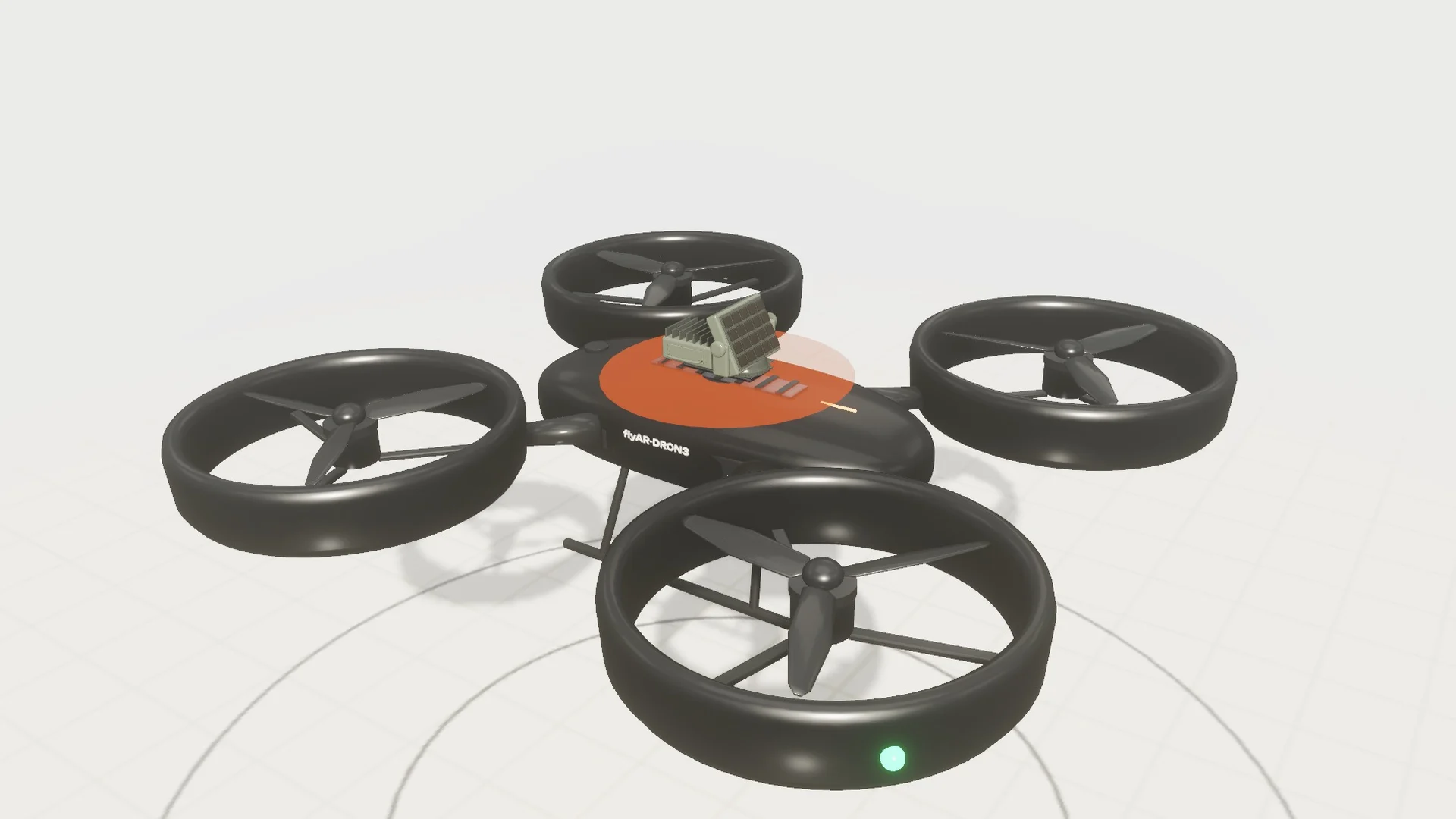
Configure. Six modules (three military, three civilian) snap onto hardpoints on top and underneath, and you can choose between battery and hydrogen power. The configurator only offers combinations that actually work. That sounds small. In real sales, it's the difference between a buyer exploring freely and a buyer emailing to ask whether option A fits with option B.
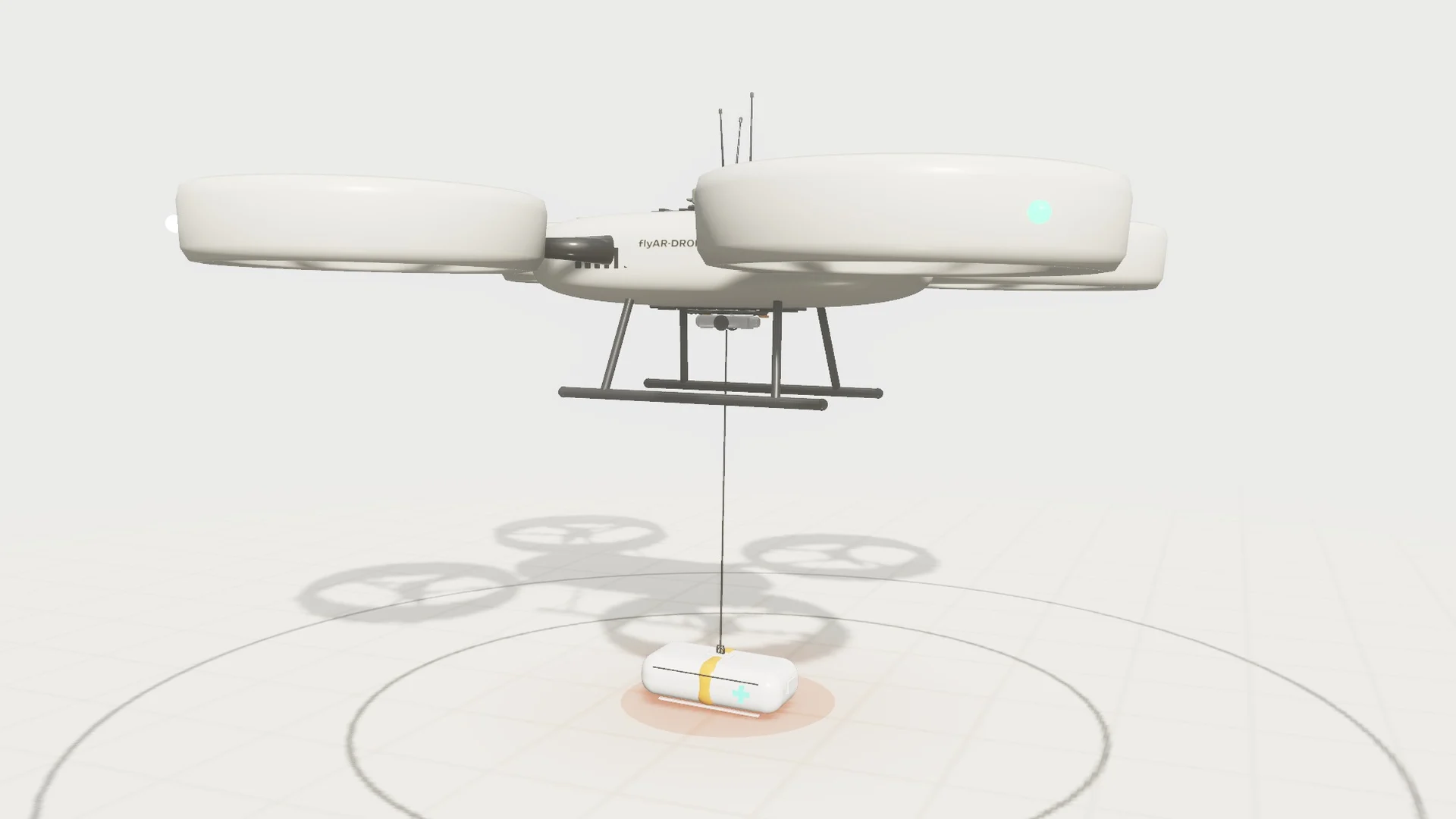
Demonstrate. Each module has a short animation showing what it does: a LiDAR scan that finds a suspicious package, a high-power microwave pulse, and a winch lowering a medical pod. Ten seconds of motion beats a paragraph of payload specs.
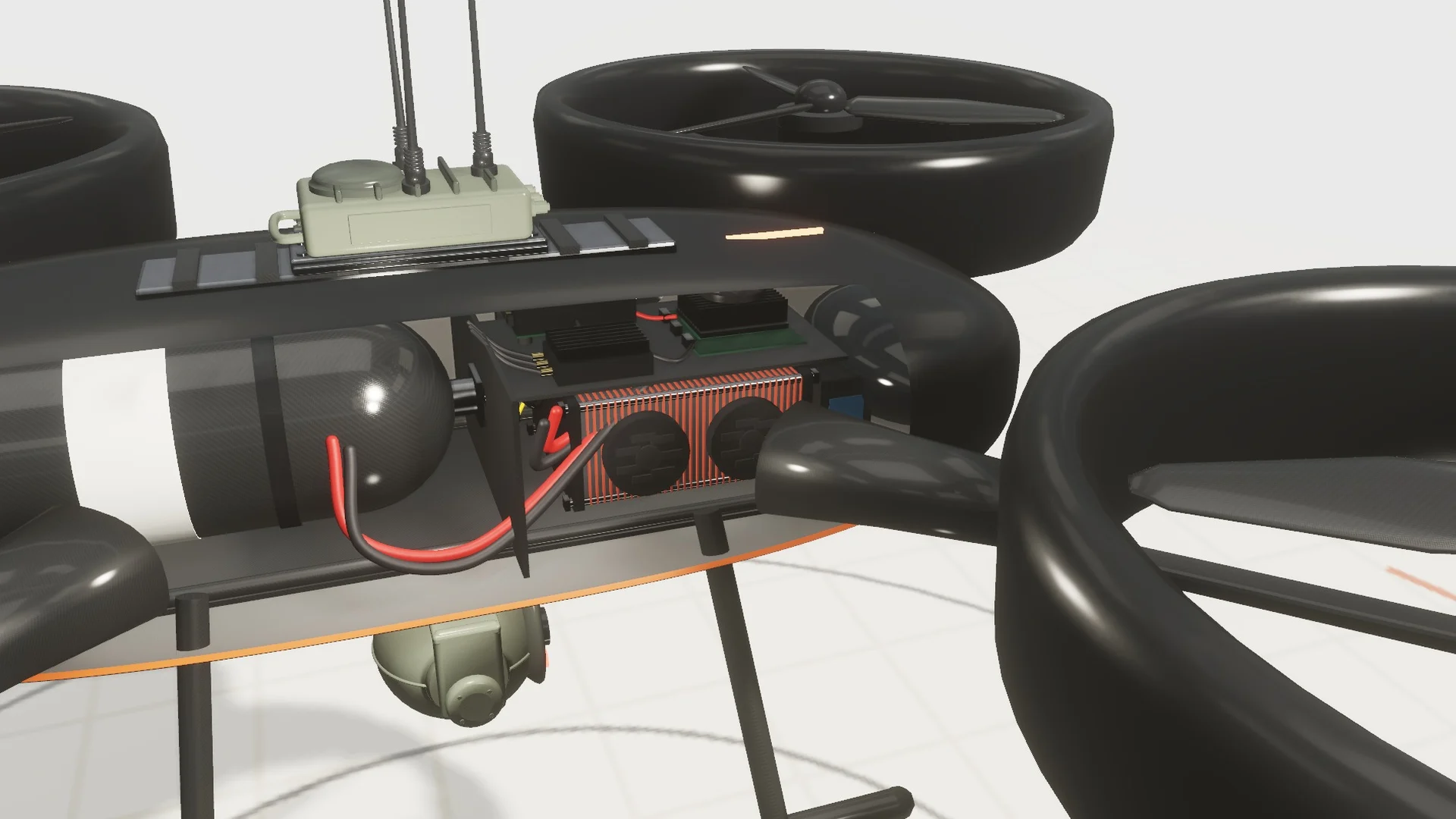
Look inside. Cutaways show the battery pack and the hydrogen power source one part at a time. Power systems are a classic case: they drive range, weight and price, and buyers can't see them on a product photo. Flight time, radius and weight update as you swap parts. The drone is fictional, but the flight time comes from the standard textbook formula for hover power. Only the inputs are made up.
Take it with you. On a phone, View in AR places the drone at real size. On a desktop, the button shows a QR code instead. There's also an autoplay mode for trade-fair screens, so the same build can run on a booth TV.
Example 2: FM3, a studio monitor you can take apart
FM3 is our second fictional product, this time a three-way studio monitor. The drone is about options. The speaker is about anatomy: what's in the box, and why each part is there.
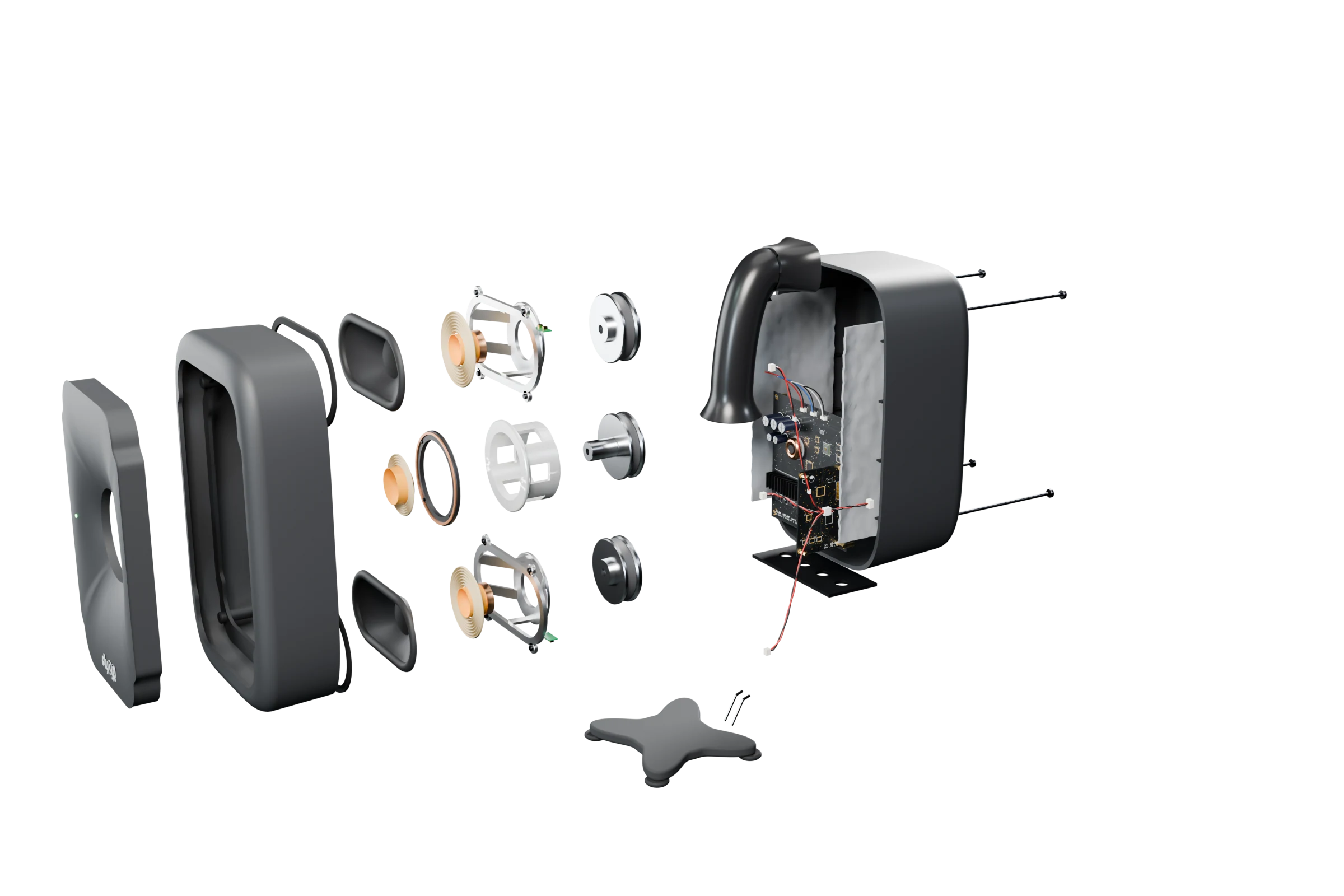
We modeled it part by part: enclosure, waveguide, two woofers, a coaxial mid/tweeter, port, amplifier and stand. That's 25 selectable parts, each with a short description and its material. The interface borrows from engineering drawings, with numbered balloons, a parts list, assembly sheets and a live drawing scale. Engineers recognise it instantly, and everyone else finds it oddly satisfying.
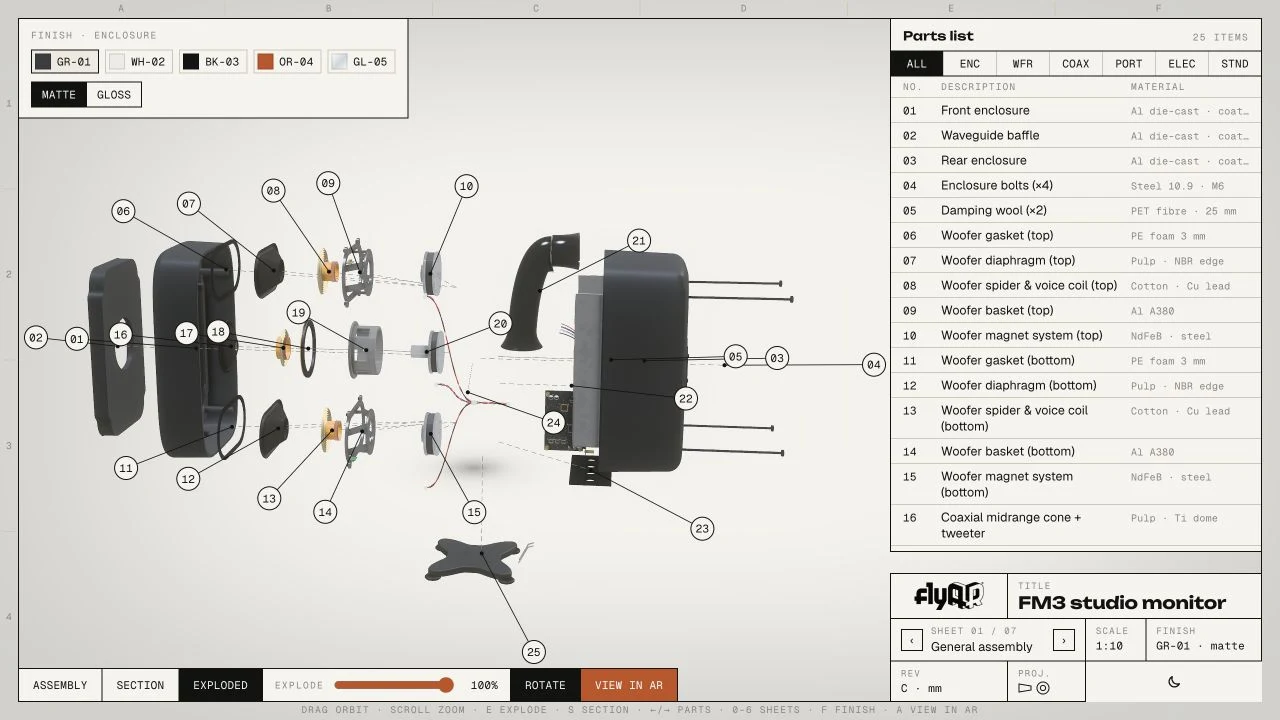
You can switch between assembled, section and exploded views, and isolate any assembly. Then put it back together and try five finishes. flyAR orange is, objectively, the best one.
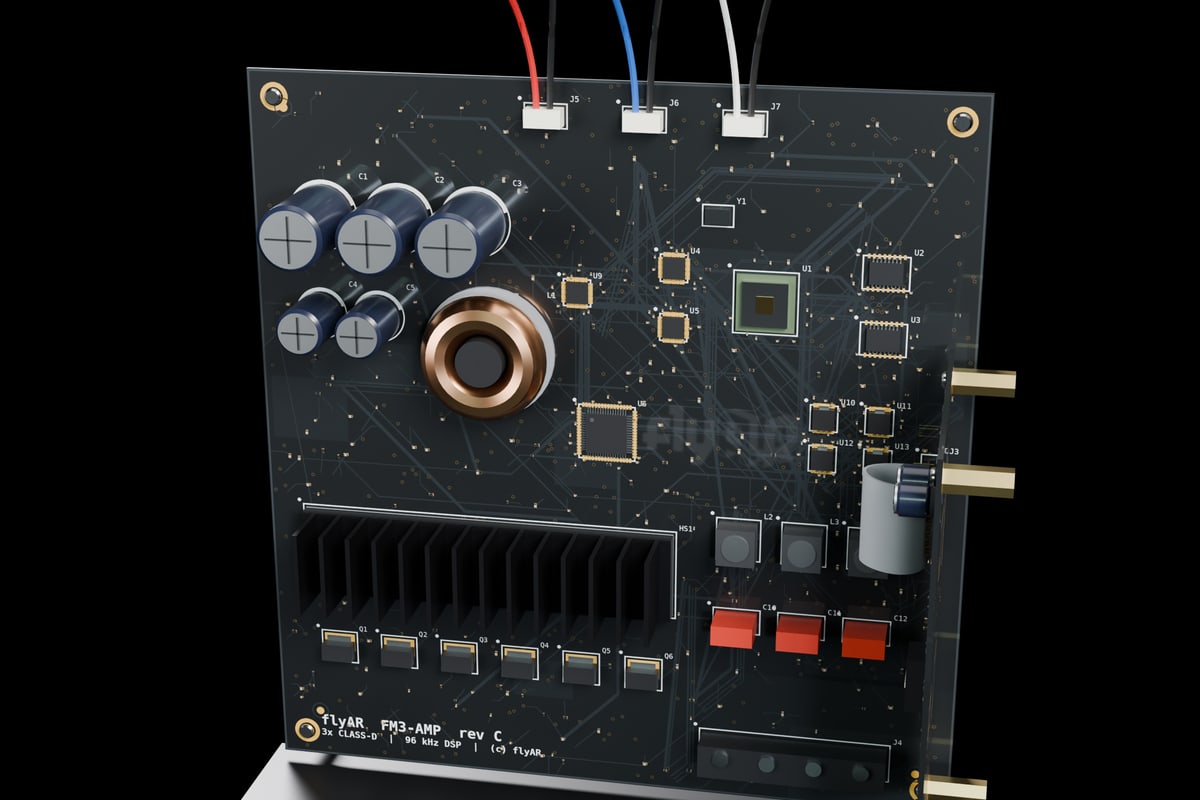
Under the hood: the model was built procedurally in Blender and runs in PlayCanvas in the browser. On mobile, the parts list collapses but the controls stay the same, and View in AR puts the speaker on your desk at real size (598 mm tall with the stand), in whatever finish and exploded state you left it in. One build also produces the stills for web and print, so the marketing team gets a photo shoot out of it too.
How we built them: mostly code, partly AI
Neither product was modelled by hand. Both were generated from code, and an AI agent (Claude) wrote most of that code, working through Blender and the PlayCanvas editor. My job was looking at each build and saying things like "the cone goes through the floor".
- FM3, day one: 33 Blender jobs between 08:18 and 20:30. The first job printed
hello from blender 5.1.1. By evening the speaker had its parts and generated amplifier boards with 421 + 166 components. A 958-line script rebuilds the whole speaker with one command, so "add damping wool and a wiring harness" took about 20 minutes. - DR0N3: first draft on 14 October (codename "aurora_x4"), first public build on 22 October, social videos on 26 October. After day one we stopped opening Blender at all. Geometry changes were made by editing the 3D file directly with Python. There are no textures either: the camo finishes are generated in the browser from four colours and a seed.
- AR that matches the screen: on iPhone, both demos create the AR file the moment you tap View in AR, so you get exactly the configuration you're looking at. The drone's AR version even spins its rotors and hovers.
It wasn't all smooth. The finished FM3 sat on disk for three weeks because the editor was connected to Codex instead of Claude. "Connected", technically true. Smaller things too: the first highlight colour looked cheap, the woofers looked like copper (that was the spiders), and a wiring harness ran straight through the damping wool.
When the model, parts list, specs, AR file, stills and videos all come from the same source, a change is made once and shows up everywhere. That makes a configurator easier to maintain after launch. A hand-modelled hero asset still wins on surface detail and materials, so the right mix depends on the product.
What the research says
Pretty 3D is nice, but it has to earn its budget. Here's what we think is worth knowing, and how much weight each number can carry.
Buyers want to figure it out themselves first. In a Gartner survey of 632 B2B buyers, 61% said they prefer an overall rep-free buying experience. The same research found buyers still want a seller for the contextual question: does this fit our needs? That's exactly the split a configurator supports. It handles the "what is this and what can it do" part, so the sales call can start from the buyer's own configuration. (Demand Gen Report on the Gartner survey)
Mixed messages cost trust. The same Gartner survey found 69% of B2B buyers notice inconsistencies between a company's website and what its sellers tell them. When the website, the sales demo and the trade-fair screen all run the same configurator with the same data, there's less room for that.
3D and AR can move sales. Gunner Kennels, which sells heavy, expensive-to-ship dog crates, added 3D models and AR to its Shopify product pages. Against the previous quarter, order conversion rose 40% and returns fell 5%. (Shopify case study)
One honest note: you'll see a "94% conversion lift from 3D" figure on almost every configurator vendor's site. We couldn't trace it to a primary source, so we don't lean on it. Your own numbers will depend on your product, your buyers and how good the build is.
Which products it suits, and which it doesn't
The sweet spot is physical products with tech inside, or with functions that need explaining. A rough test: if your sales team regularly reaches for a whiteboard, or says "it's easier to show you", 3D will probably help.
Good fits:
- Drones, robots and machinery, where modules, payloads and power options change what the product can do
- Audio, electronics and devices, where the parts inside are the selling point
- Vehicles and equipment with configurable builds, attachments or variants
- Medical, lab and industrial devices whose function is hard to grasp from a photo
- Modular furniture and building components, where people need to see fit and scale
Probably overkill:
- Simple products with few options. Good photos and a short video will do the job for less.
- Products bought purely on price or spec sheets. If nobody needs to understand it, nobody needs to explore it.
- Ranges that change every month without a clean data source behind them. The 3D can't stay more current than the data feeding it.
We wrote more about this trade-off in When WebAR actually beats a render or a video.
How a configurator project runs
A typical build takes 3 to 8 weeks, depending on how many options and demos there are.
- Pick the story. What should a buyer understand after two minutes? Which options and functions matter most for the sale?
- Bring the files. CAD or existing 3D models are the usual starting point. We convert and lighten them so they load fast on a phone. Your engineering files stay with you.
- Define the rules. Which combinations are valid, and what specs or prices change with each choice. Ideally this comes from your own data, not a spreadsheet we retype.
- Build the scenes. Configuration, cutaways, function animations, finishes and AR.
- Connect it. Shareable configuration links, plus a hand-off to a quote form, CRM or webshop if needed.
- Ship it everywhere. A standalone link, a website embed, AR on phones and autoplay for trade-fair screens.
FAQ
What is a 3D product configurator? An interactive 3D view of a product where buyers choose options, finishes or modules and see the result update in real time, usually in a web browser.
Do buyers need to install an app? No. It runs in the browser on desktop and mobile. AR uses Apple's AR Quick Look on compatible iPhones and iPads, and WebXR in Chrome on compatible Android phones.
Can we use our CAD files? Yes, that's the usual starting point. CAD models are converted and optimized for real-time web use. The original engineering files stay with you.
How long does it take to build? Typically 3 to 8 weeks, depending on the number of options, animations and integrations.
Can it connect to our CRM or webshop? Yes. A finished configuration can be passed to a quote form, CRM or webshop, and every setup can be shared as its own link.
Does it work for B2B products, not just consumer goods? Yes. Complex B2B products often benefit most, because buyers research on their own before they talk to sales.
Got a product that's hard to explain?
If your sales team keeps having to explain what's inside a product, send us a few product files and tell us what buyers get stuck on. We'll take a look and say whether an interactive 3D view would help.
Send us a project note or book a 30-minute call. You can also see more on our 3D product configurators page.