Product visualisation
Taking the FM3 speaker apart in the browser
A speaker cabinet hides most of the interesting bits. You can photograph the outside, but that won't explain where the amplifier sits or how the drivers fit inside.
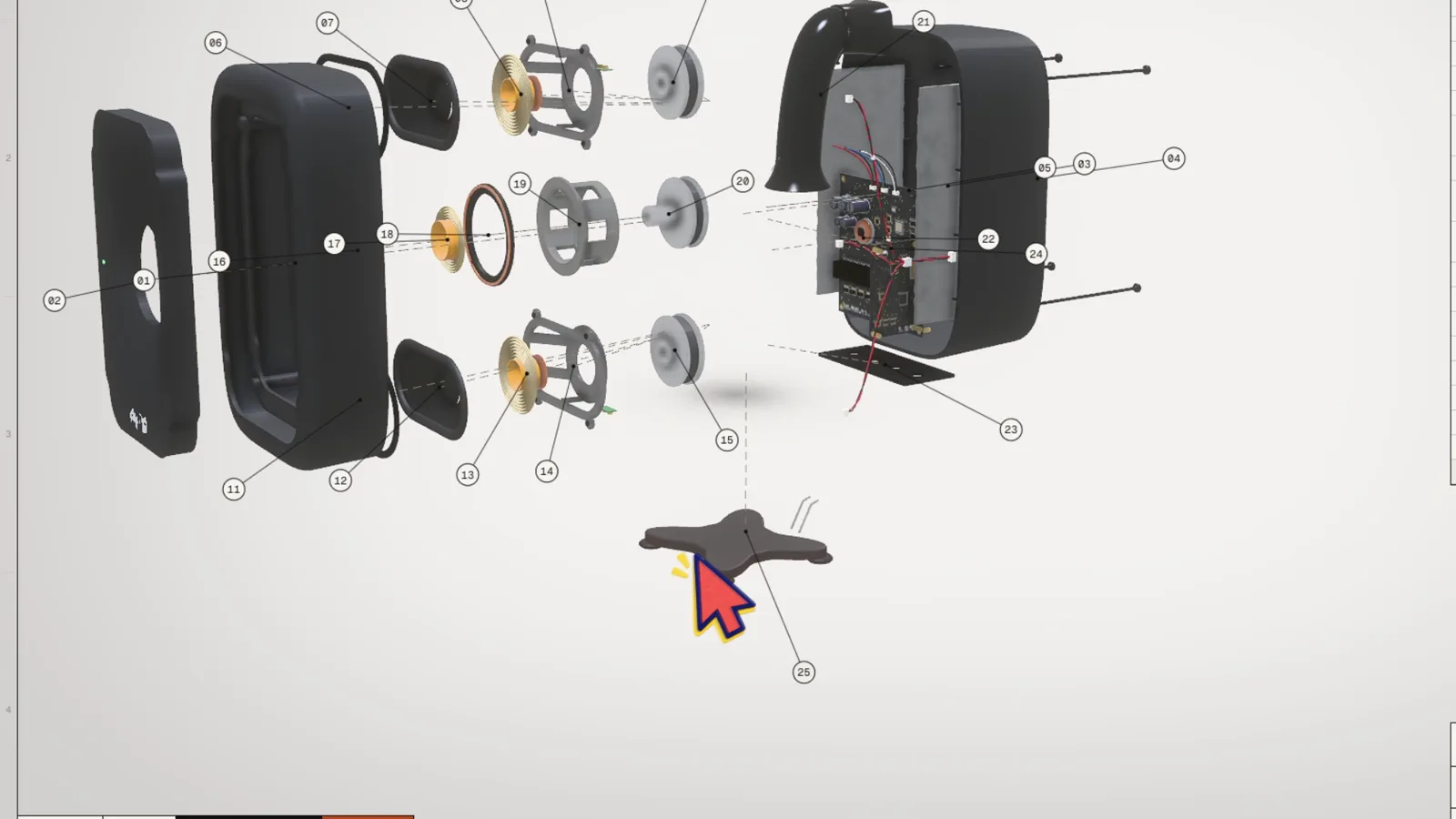
We made a fictional studio monitor called FM3 so we could pull it apart in the browser. An interactive exploded view lets the viewer separate the parts, choose one and read what it does. They can spend a minute on the amplifier or go straight to the finishes.
What is an interactive exploded view?
You've seen exploded views in manuals and spare-parts catalogues: every part pulled slightly apart so you can see how it all fits together. An interactive one is the same idea in real-time 3D. The viewer controls it:
- explode and reassemble the product with one tap,
- rotate and zoom freely,
- tap any part to get its name, material and what it does,
- isolate one assembly and hide the rest,
- switch to a section (cutaway) view,
- try finishes and colours,
- and open it in AR at real size.
The 3D view opens from a link in a compatible browser, without installing an app. AR availability depends on the phone and browser.
Why not just a render or a video?
A render can show a cutaway beautifully. A video can explain an assembly better than a page of instructions. Interactivity is useful when people need to choose what to inspect.
- The viewer sets the pace. In a video, we choose the camera and timing. Here, an engineer can stay on the amp board while a buyer skips to the finishes.
- The model can be reused. The same prepared 3D asset can support a product page or a sales demo. Trade-fair playback and training need their own controls and content, but don't necessarily need a new model.
If everyone needs the same explanation in the same order, I'd start with a video. If the questions vary from buyer to buyer, an interactive view is worth considering.
FM3: our test product
To show this properly we needed a product, so we made one up. FM3 is a concept three-way studio monitor (a speaker) with 25 parts. It doesn't exist in real life, which is handy, because nobody can complain we got the tolerances wrong :)
You can try it here: flyar.fi/work/fm3-exploded-view
Explode it
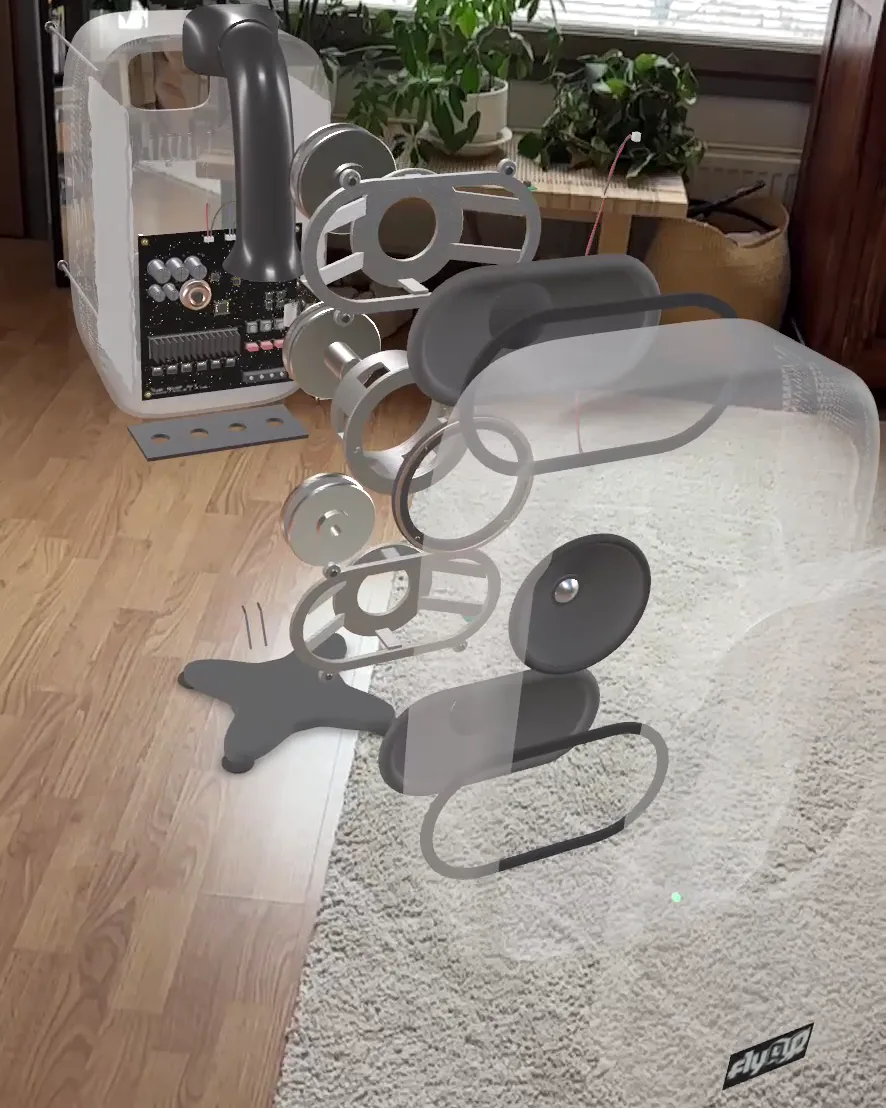
One tap and the speaker comes apart into its 25 parts: cabinet panels, drivers, amp board, stand and the small stuff in between.
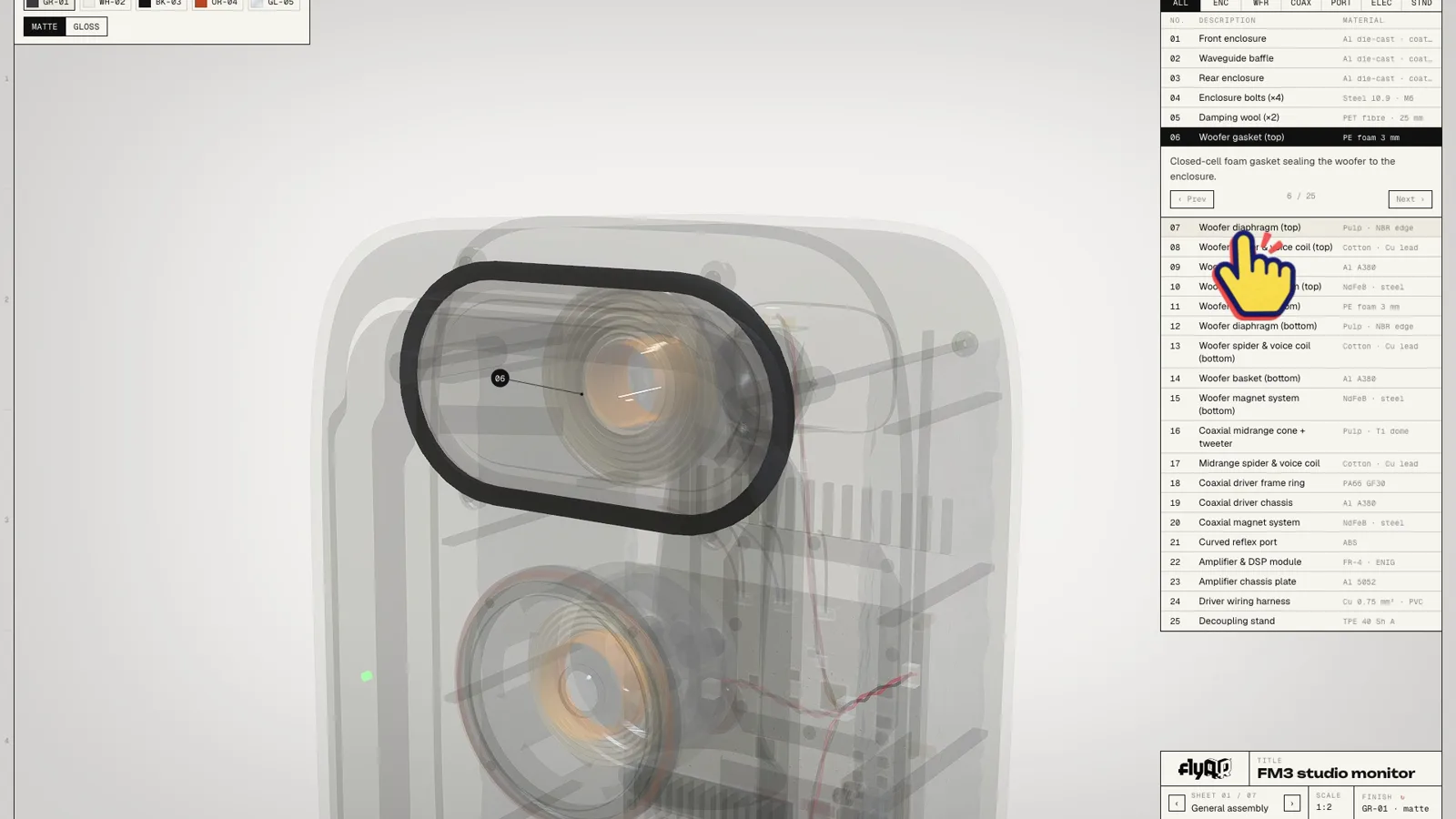
Tap a part, read what it does
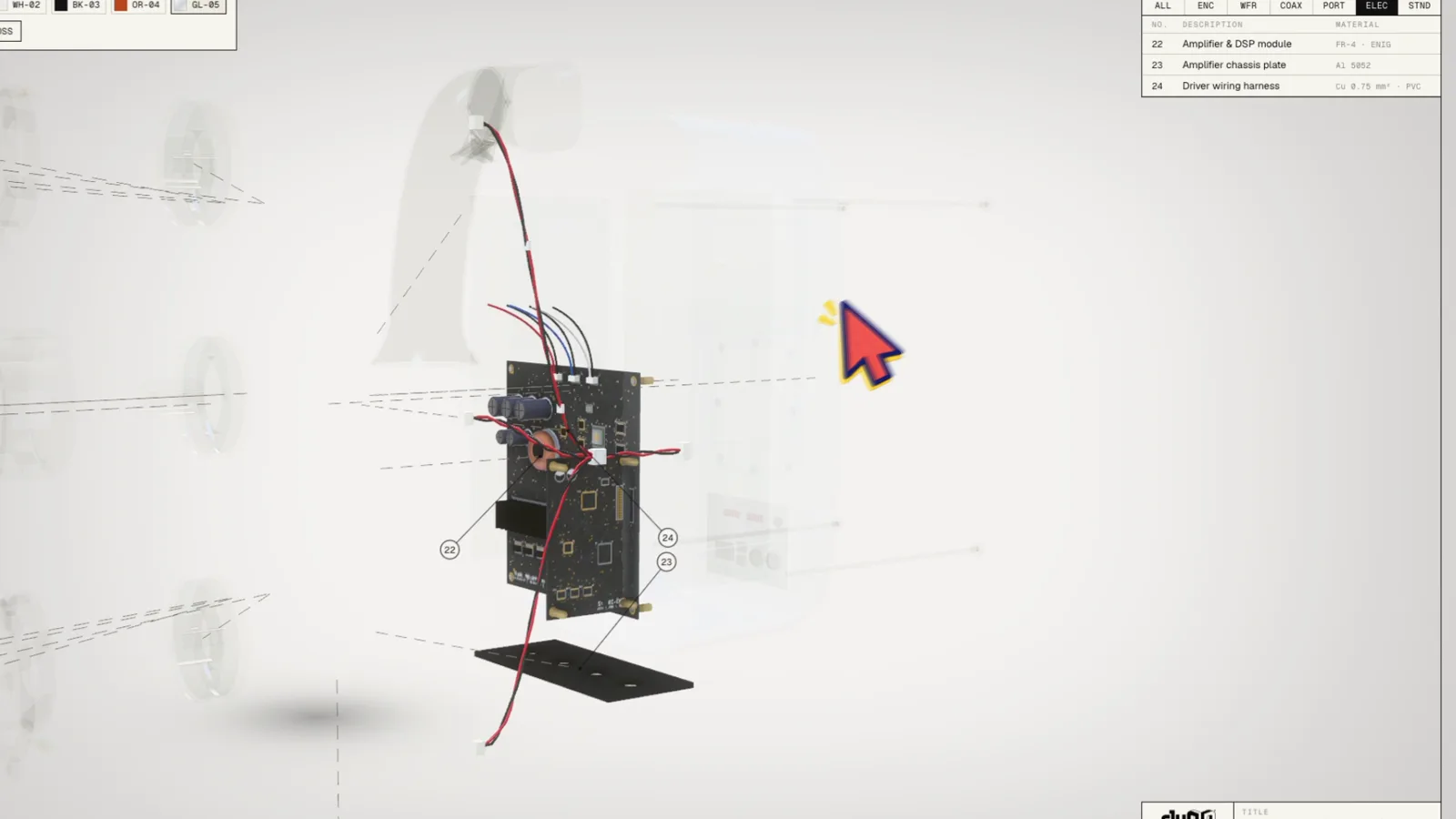
Every part has a number, a name, a material and a short plain-language explanation. On desktop there's a parts list like in an engineering drawing. Hover or tap, and the part highlights while the rest goes see-through.
Isolate an assembly
Want to talk only about the woofer? Isolate it and everything else disappears. In a sales meeting, that lets the person presenting follow a question about the woofer without keeping the whole cabinet in the way.
Cut it open
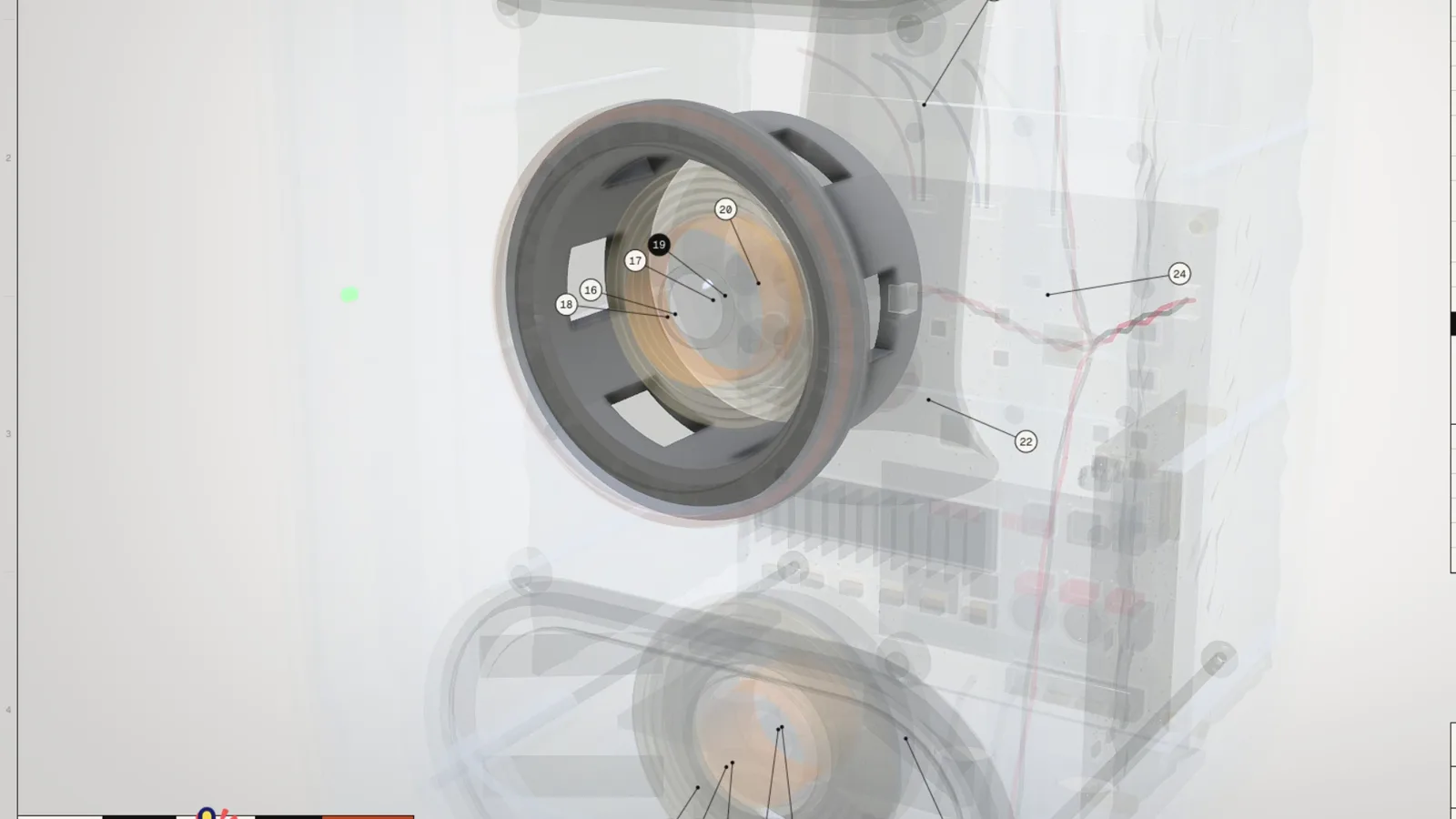
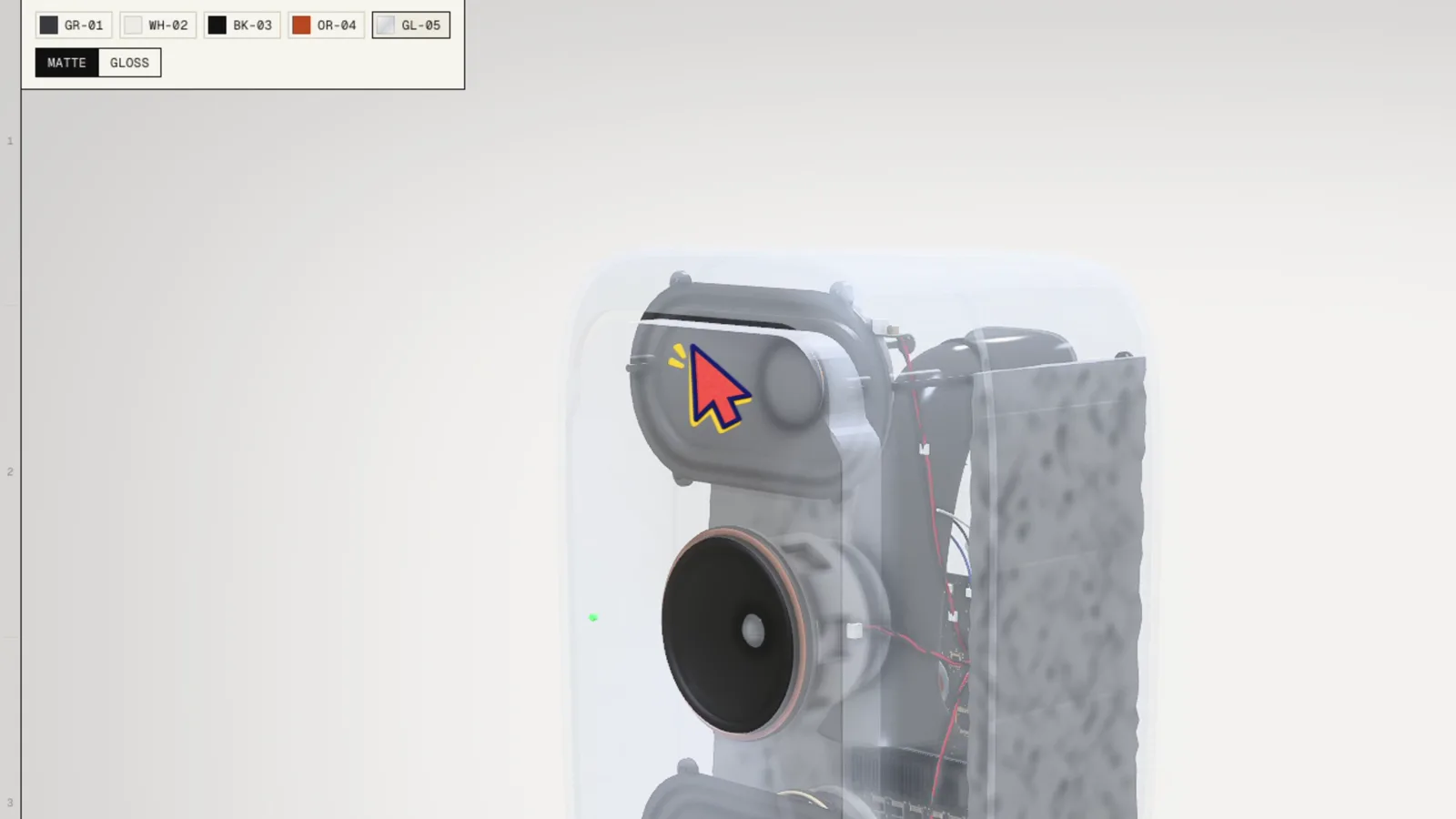
The section view slices the speaker in half so you can see how the parts sit inside the cabinet. It makes the internal layout easier to discuss without rotating through a pile of separated parts.
Try the finishes
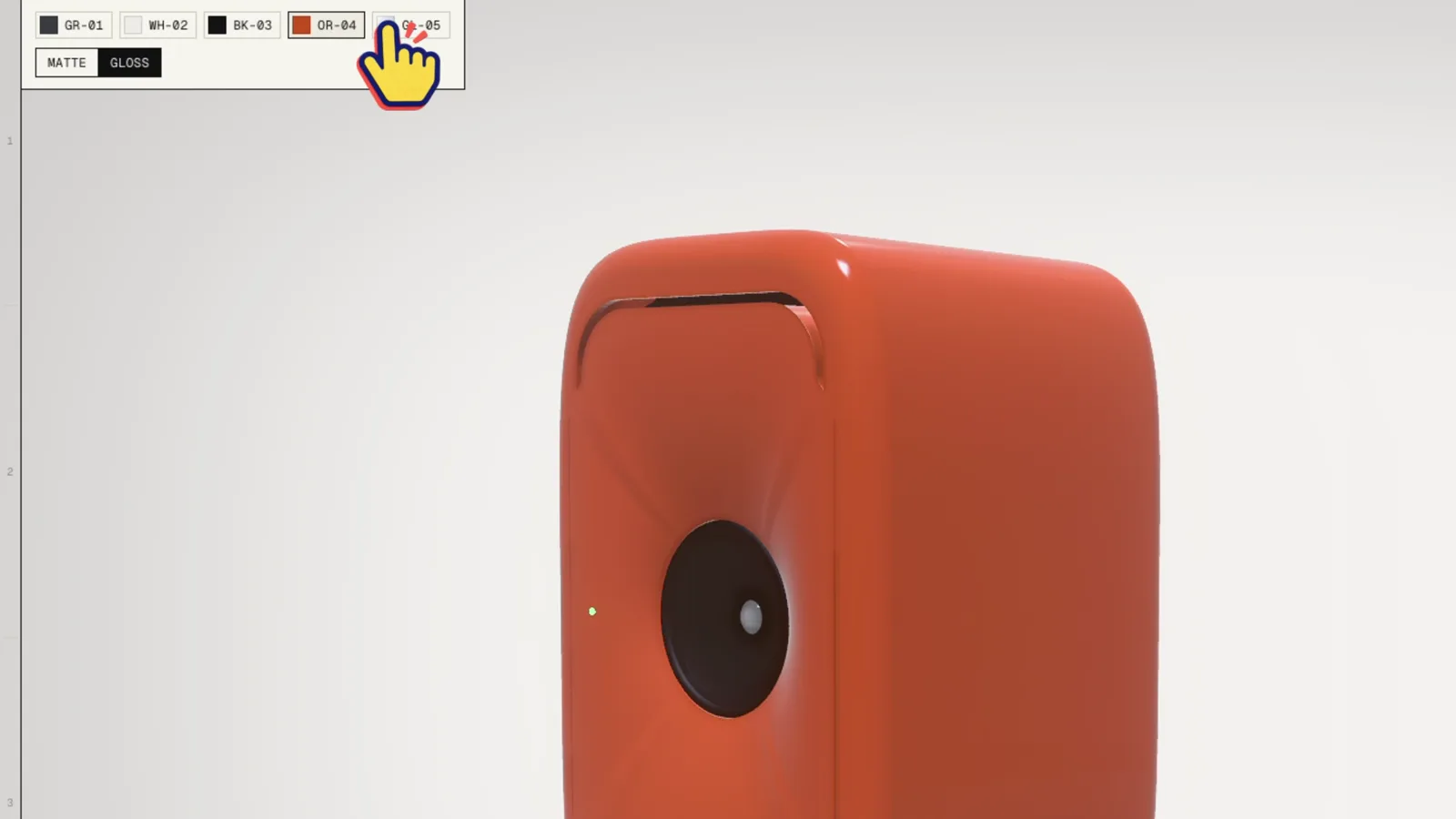
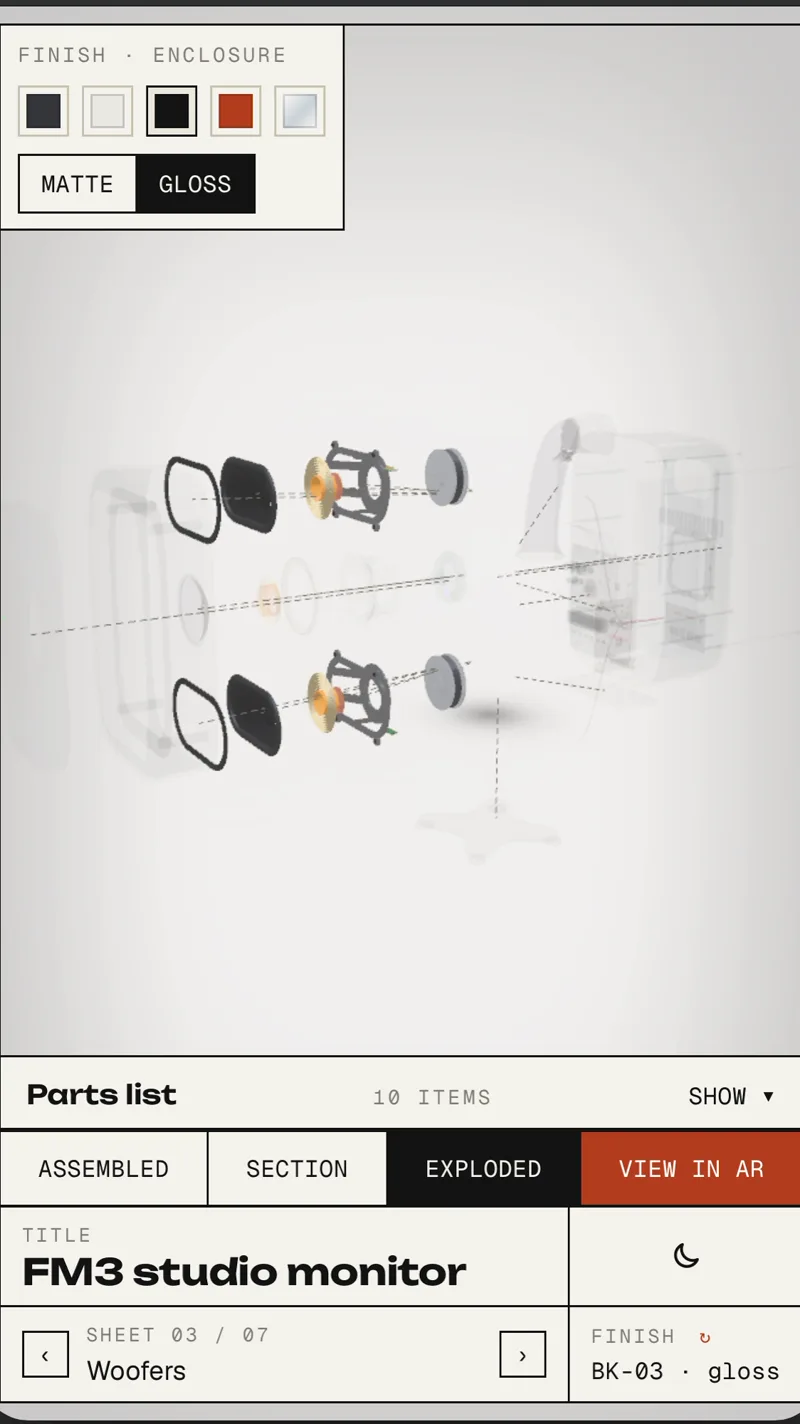
Five finishes, matte or gloss. Same model, swapped materials.
Put it on your floor
On a supported phone, View in AR places the speaker in your room at its modelled size (598 mm tall). The demo can carry the current state across, including the exploded view. On the phone, the parts list folds away to leave more room for the model.
Where interactive exploded views make sense
- Product launches. Show the engineering, not only the outside. Useful when the internal construction is part of what you need to explain.
- Sales meetings. Open the link on a laptop or tablet and let the customer drive. Follow their questions part by part.
- Trade fairs. Run it on a big screen in an auto-play mode, then let people take over.
- Training. Let new salespeople or technicians explore an assembly alongside the explanation. It still needs to be checked against the real product and its service instructions.
- Service and spare parts. Exploded diagrams have always lived in service manuals. In 3D, with part numbers, viewers can rotate the assembly and find a numbered part. Links to spare-parts ordering can be added if the project needs them.
It fits less well when the product is very simple, or when what matters is purely how it looks.
Exploded view vs. product configurator
They overlap, but the job is different. A configurator answers "what does my version look like?" (options, modules, prices). An exploded view answers "how does this thing work?". We often combine them. If you're more interested in the configurator side, read 3D product configurators for complex products.
How we build them
- Start from CAD if you have it. STEP or similar files give us the geometry to work from. We simplify it for the browser and test it on the phones the audience is likely to use.
- Or build from scratch. FM3 was generated procedurally in Blender with code, so we could change the design while trying out the presentation.
- Runs in PlayCanvas. The demo runs in PlayCanvas. We also use the model to make marketing stills.
- Content matters as much as 3D. The part descriptions are what make it useful. Usually your product team writes them and we edit them into plain language.
What you'd send us to get started: CAD files or good reference photos, a parts list, and a few lines about what each important part does.
FAQ
What is an interactive exploded view? A real-time 3D model of a product that the viewer can take apart, inspect and reassemble themselves, usually in a web browser, with information about each part.
Do viewers need to install an app? The 3D view opens from a link in a compatible desktop, tablet or phone browser. AR uses the phone's supported viewing method; availability and controls vary by device.
Can you build an exploded view from our CAD files? Yes. We can simplify CAD geometry for real-time 3D and check the result on the target devices. The source files and level of detail affect the work involved.
How is it different from an exploded-view animation or video? A video plays the same way for everyone. In an interactive exploded view the viewer chooses what to look at, for how long, and can ask "what is this part?" by tapping it.
Can it work on a trade fair screen? Yes. We can add an auto-play mode for a stand and let visitors take over on a suitable touchscreen. We agree and test the hardware as part of the project.
Can it show different finishes or models? Yes. FM3 has five finishes. You can also combine an exploded view with a product configurator.
Got a product that's hard to explain?
Send us the files or book a 30-minute call, and we'll tell you honestly whether an exploded view would help. More examples on our work page.