AtomiXR started as a flyAR studio experiment: what if you could open up a periodic table and see what’s inside? Explore atoms, build molecules and see what happens as you turn up the heat. It runs in the browser and is free during the open beta.
A printed periodic table tells you what the elements are. It does not show why sodium gives an electron away, why water is bent, or what actually changes when ice melts. AtomiXR shows those things as models you can turn, tap and change.
We used topics from Finland’s lower-secondary chemistry curriculum as a reference. The app works in Finnish, Swedish and English. We haven’t tried it with a class yet and would love to hear from teachers who want to give it a go.
AtomiXR is made by flyAR in Helsinki. We build interactive 3D for the web, and this is our own project.
AtomiXR in 40 seconds
Try it here
Open an atom right now
Pick an element. Tap any tile on the table.
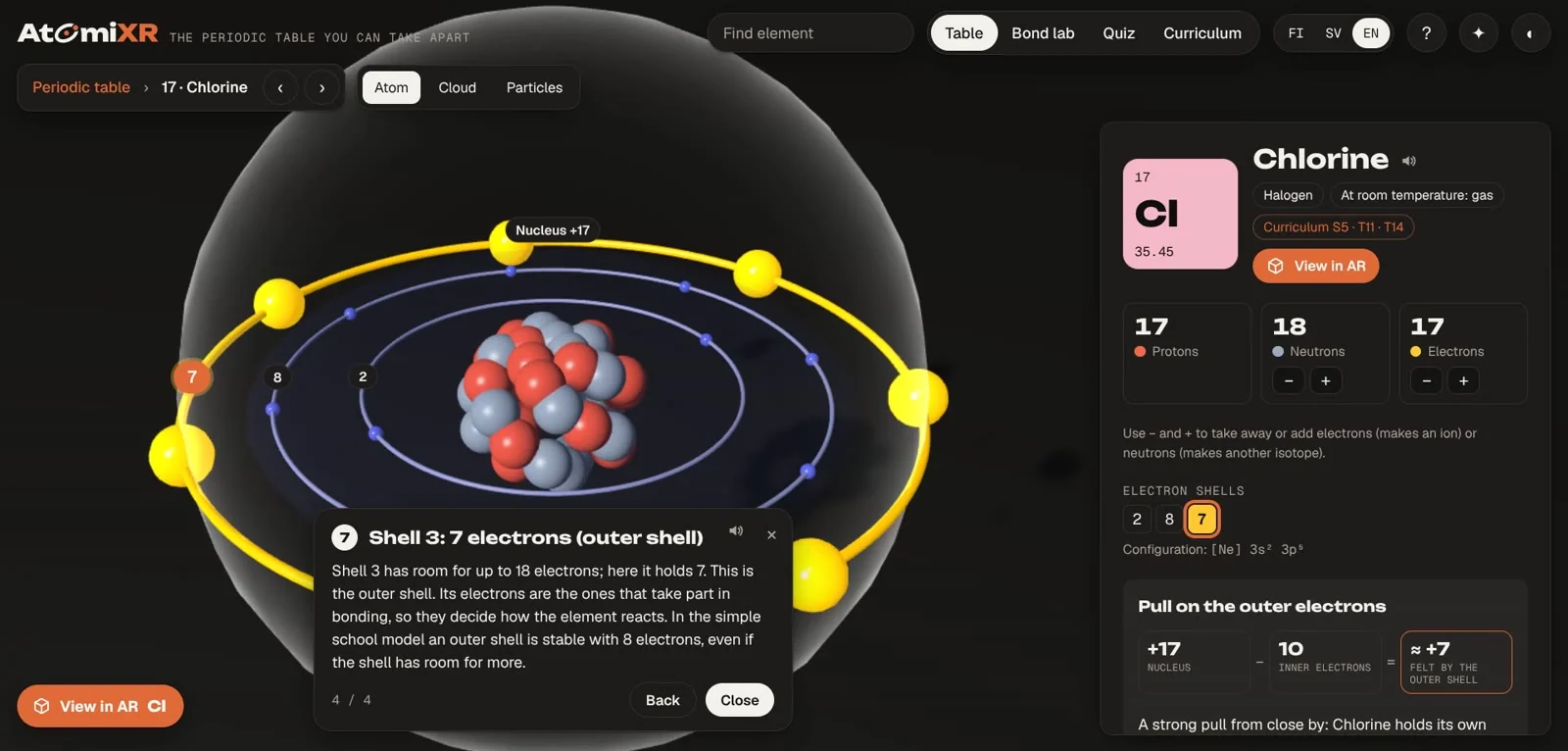
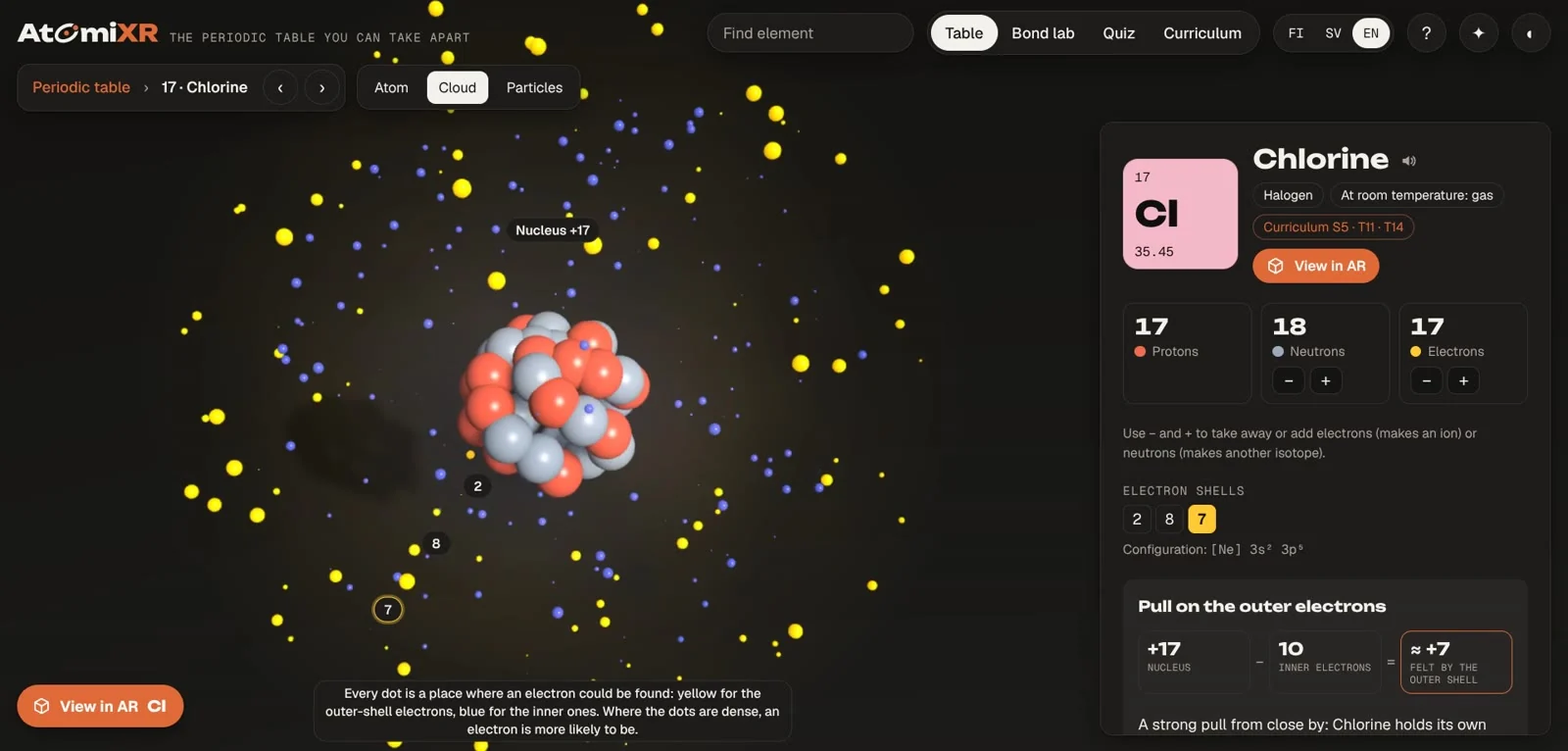
Look inside. Switch between Atom, Cloud and Particles. Tap a shell number to see what it means.
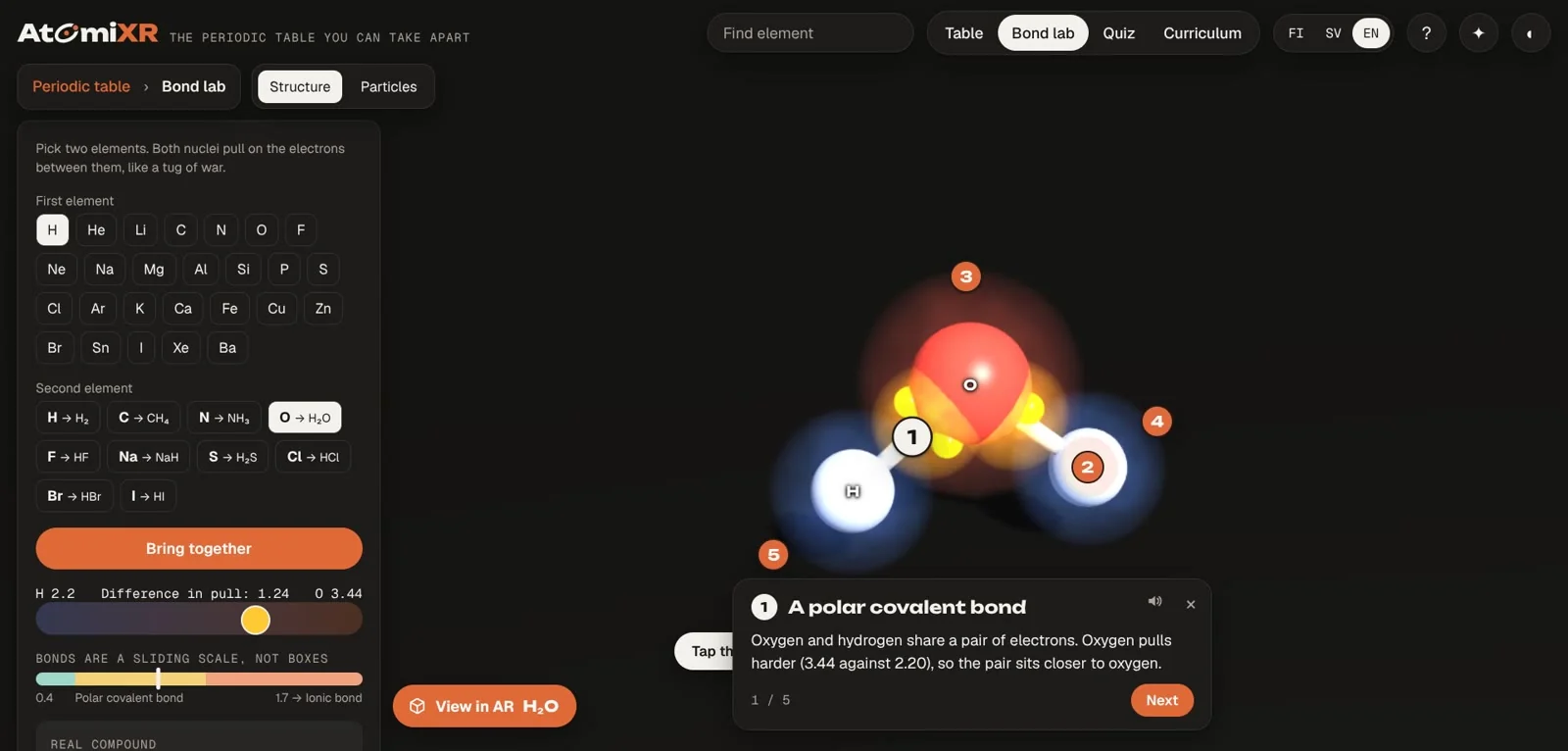
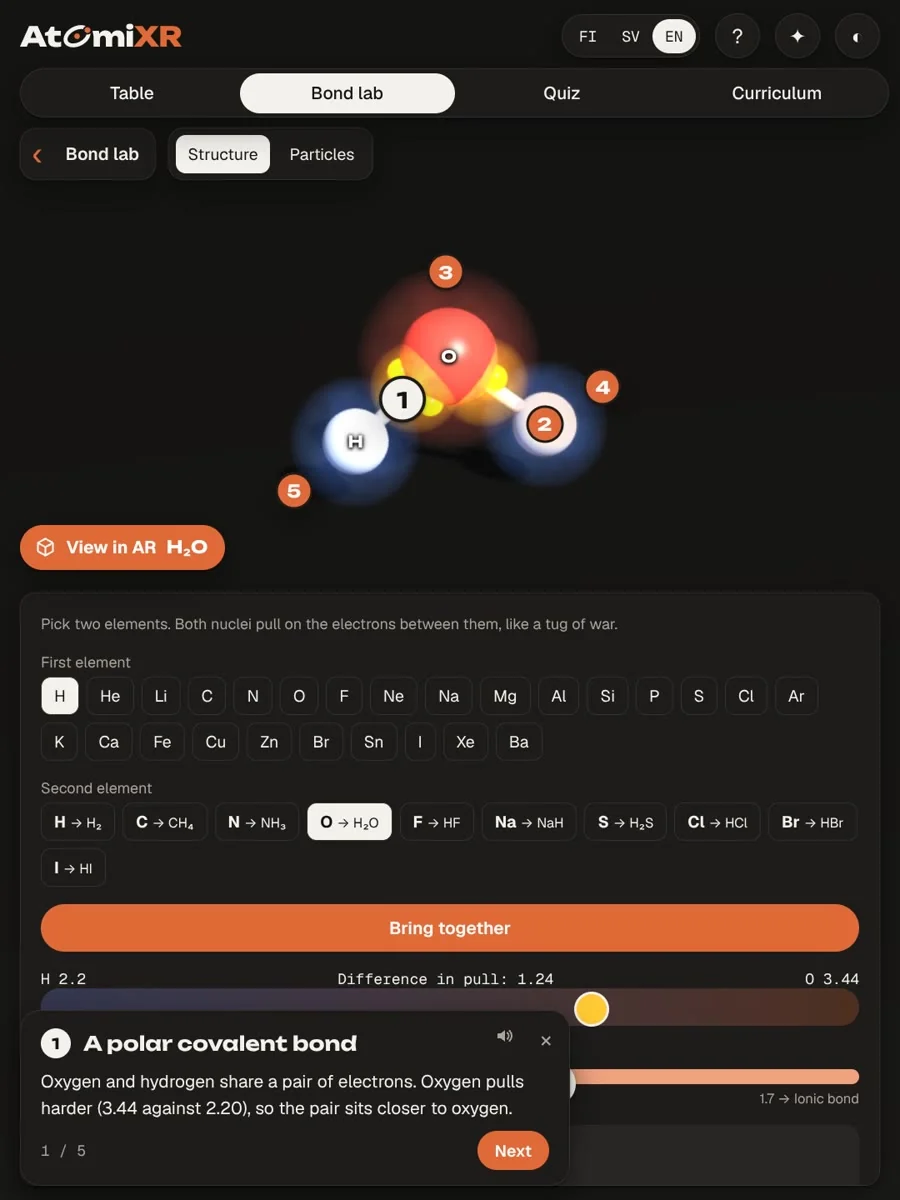
Build something. Open the Bond lab, choose two elements and bring them together.
AR and headset modes open from the full-screen version.
How it works
01
The table, coloured by the question
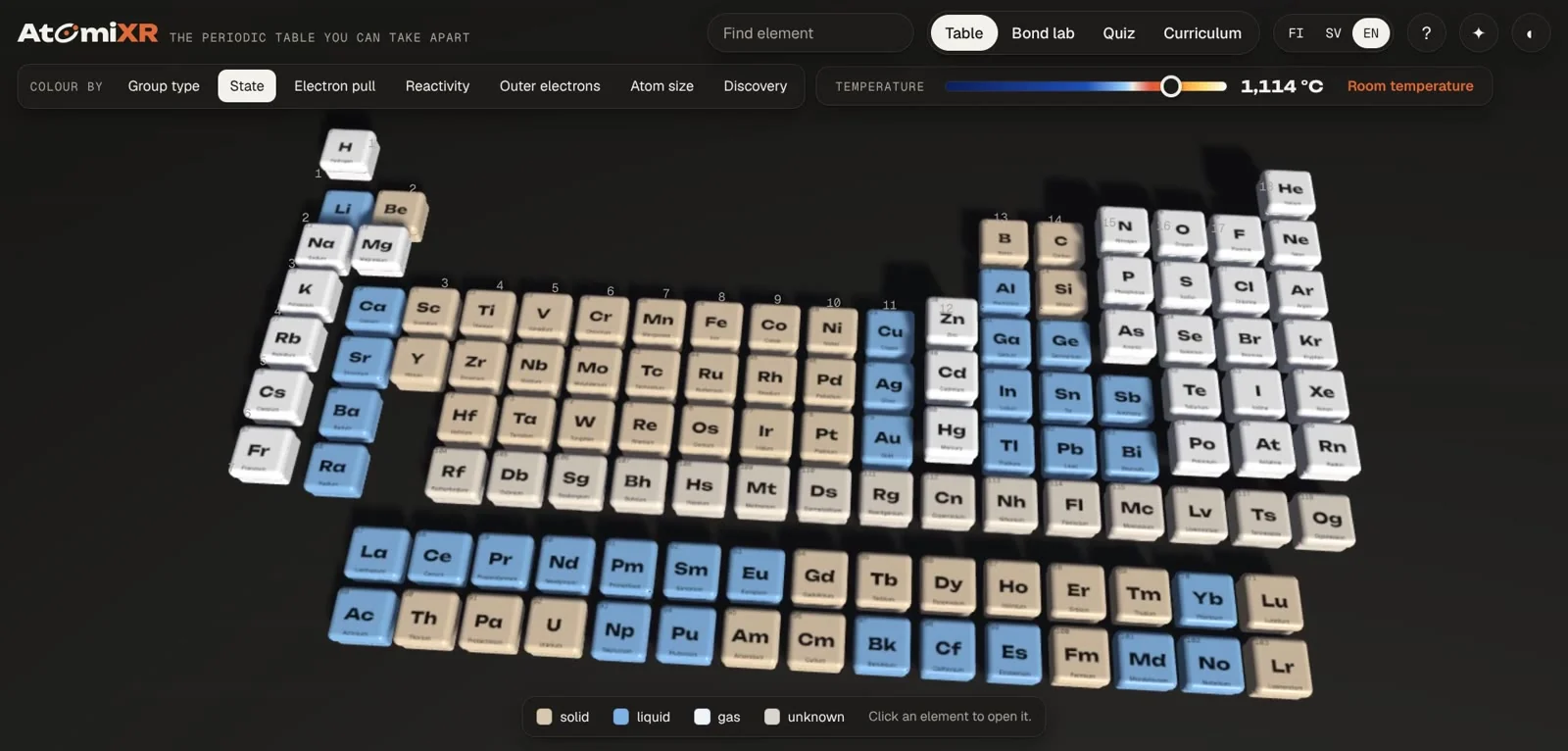
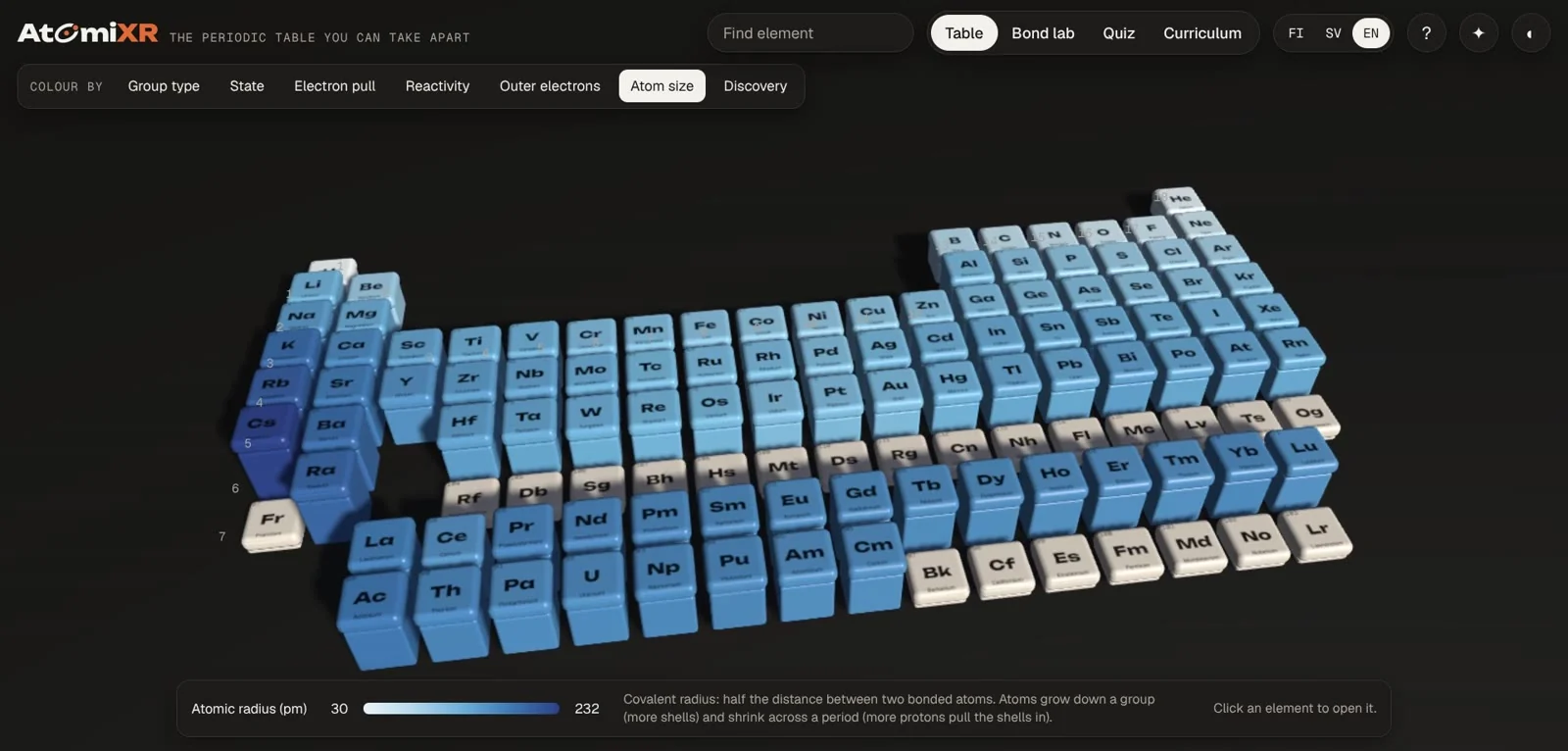
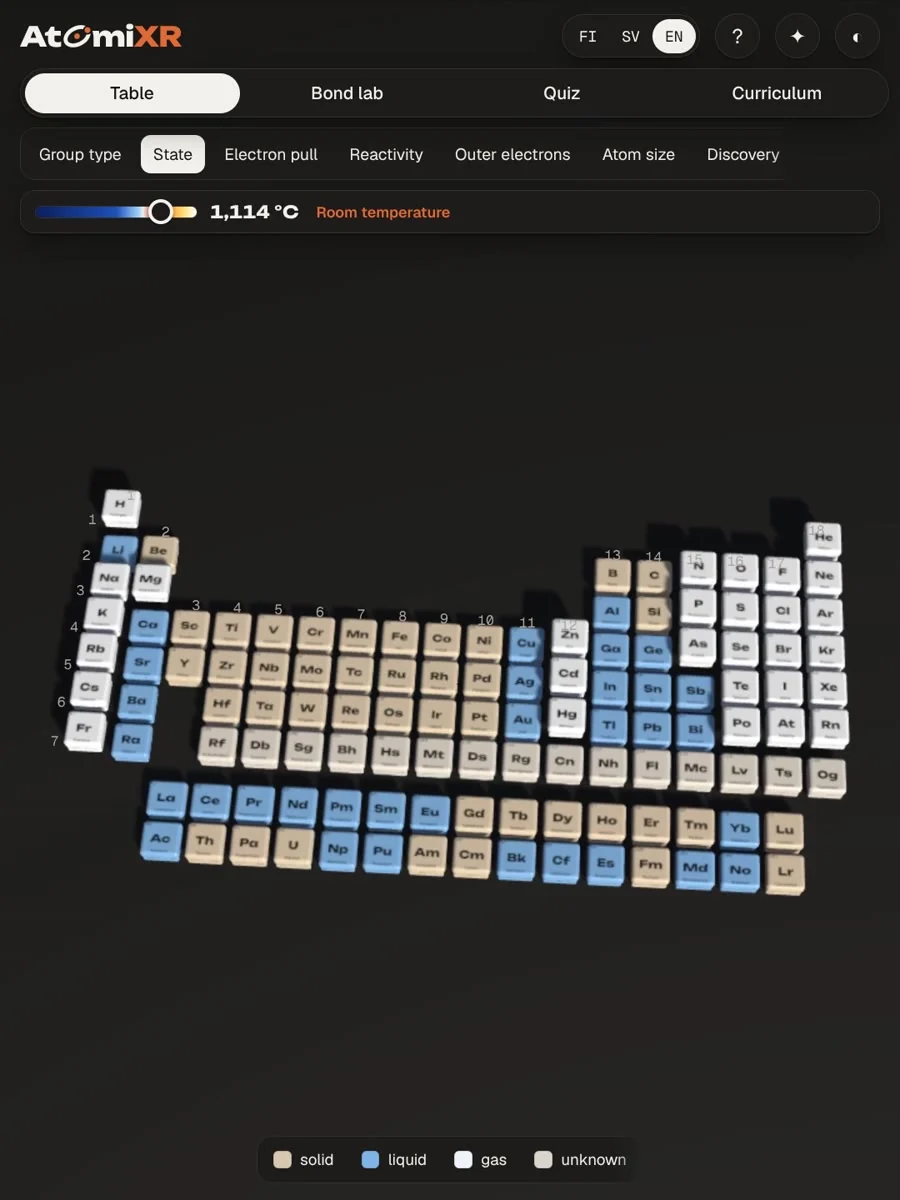
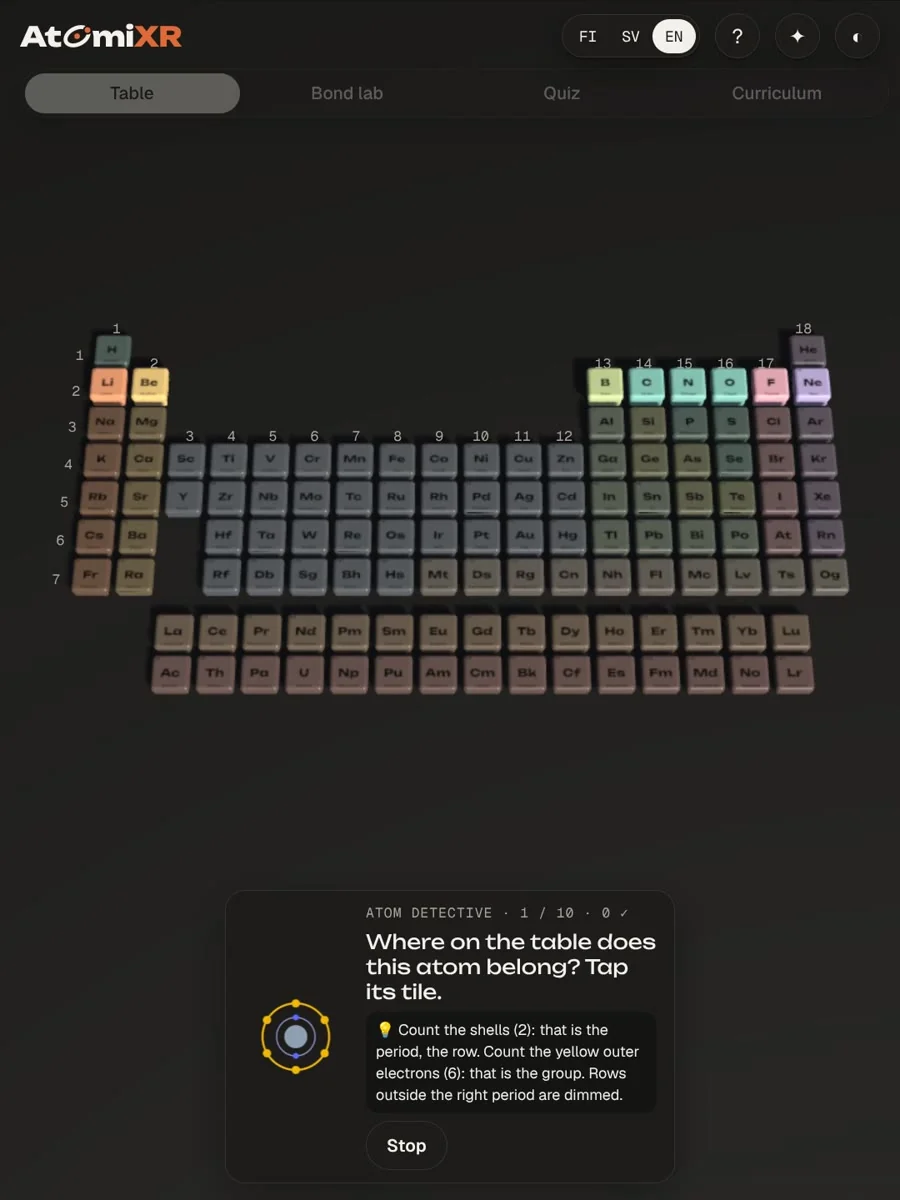
Colour all 118 elements by group, state, electron pull, reactivity, outer electrons, atom size or year of discovery. Drag the temperature slider and watch which elements melt and boil. In atom size mode the tiles rise, so the trends are something you see, not a rule to memorise.
7 COLOUR MODES
TEMPERATURE SLIDER
DISCOVERY TIMELINE
02
Inside the atom
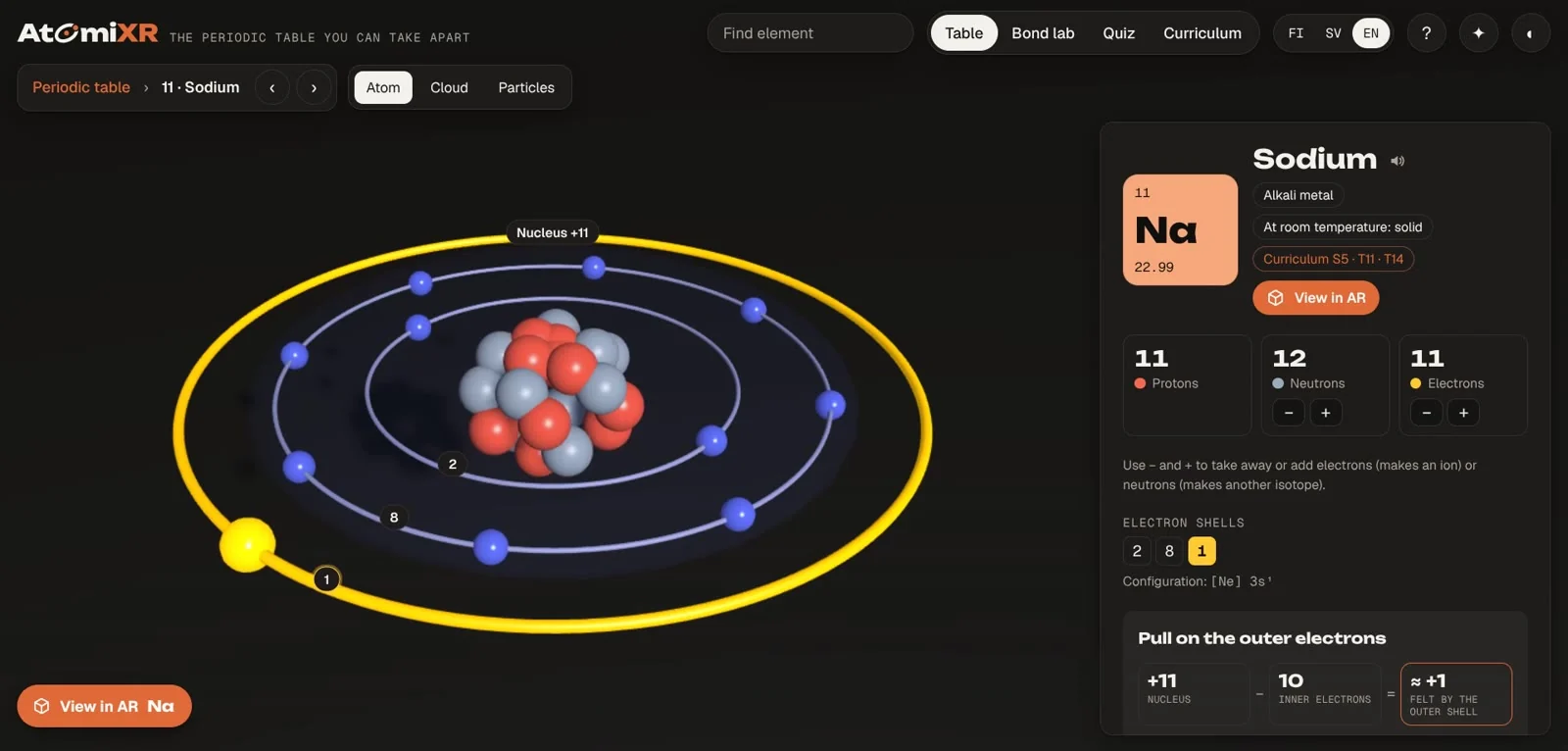
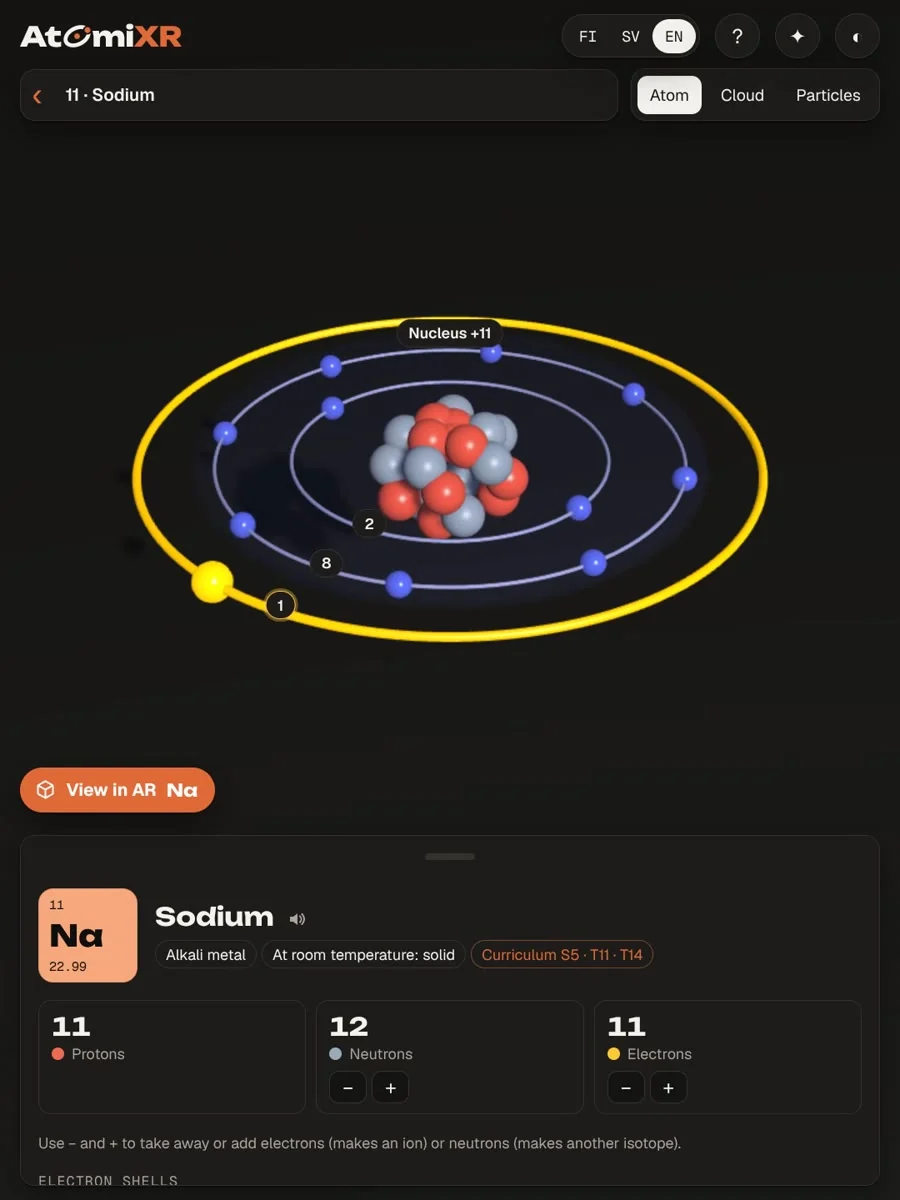
Every element opens as a model: nucleus, shells and electrons, or a dot cloud that shows where electrons are likely to be. Tap a shell number and the shell lights up with a short card that explains it. Add or remove electrons and neutrons to make ions and isotopes.
SHELLS
ELECTRON CLOUD
IONS
ISOTOPES
03
Bond lab
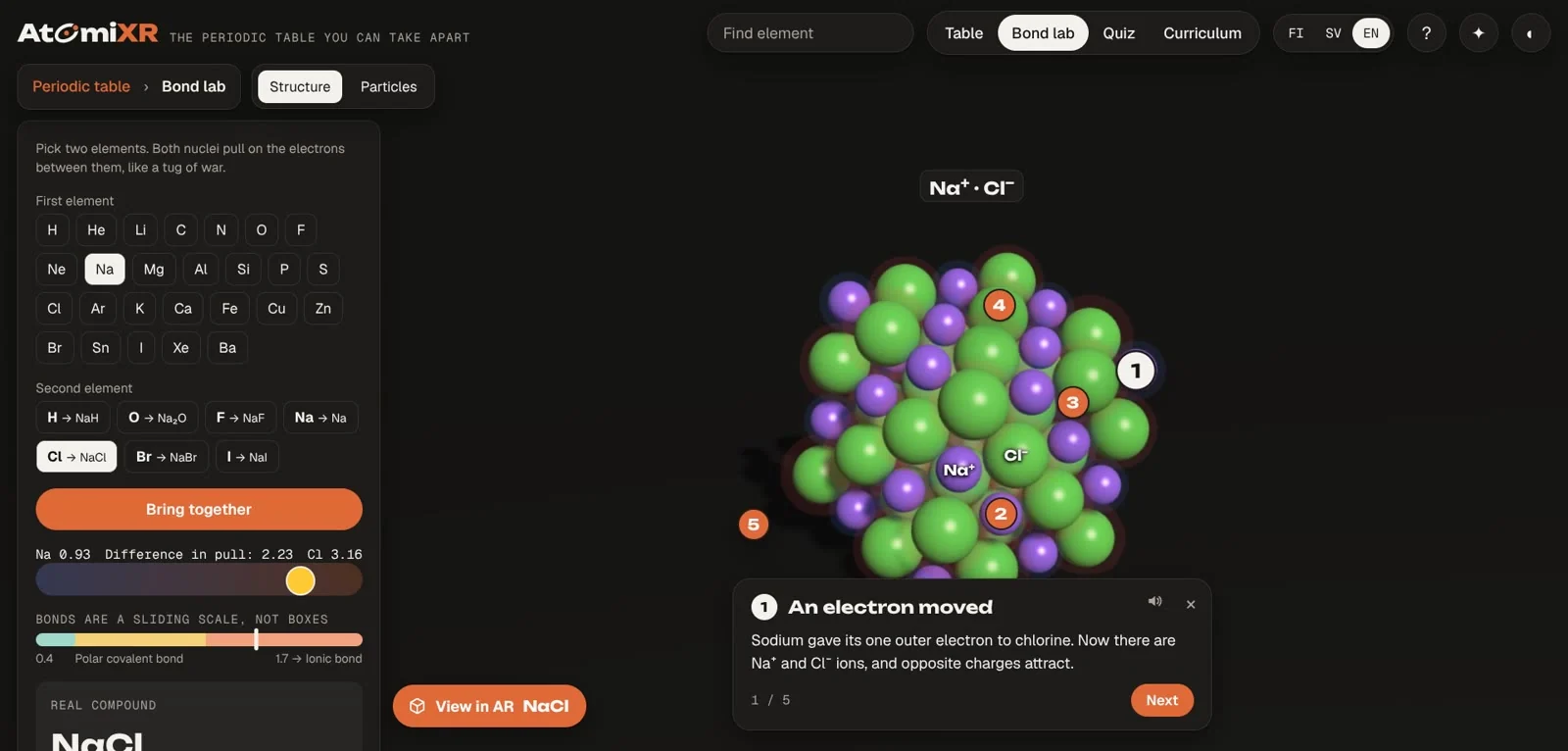
Choose two elements and bring them together. AtomiXR builds the real compound and marks the interesting spots on the model. Tap a marker and it explains what you are looking at: why water is bent, why salt forms a crystal, why metals conduct. There are 47 compounds, each with its own set of cards.
47 COMPOUNDS
COVALENT · IONIC · METALLIC
EXPLANATION CARDS
04
States of matter
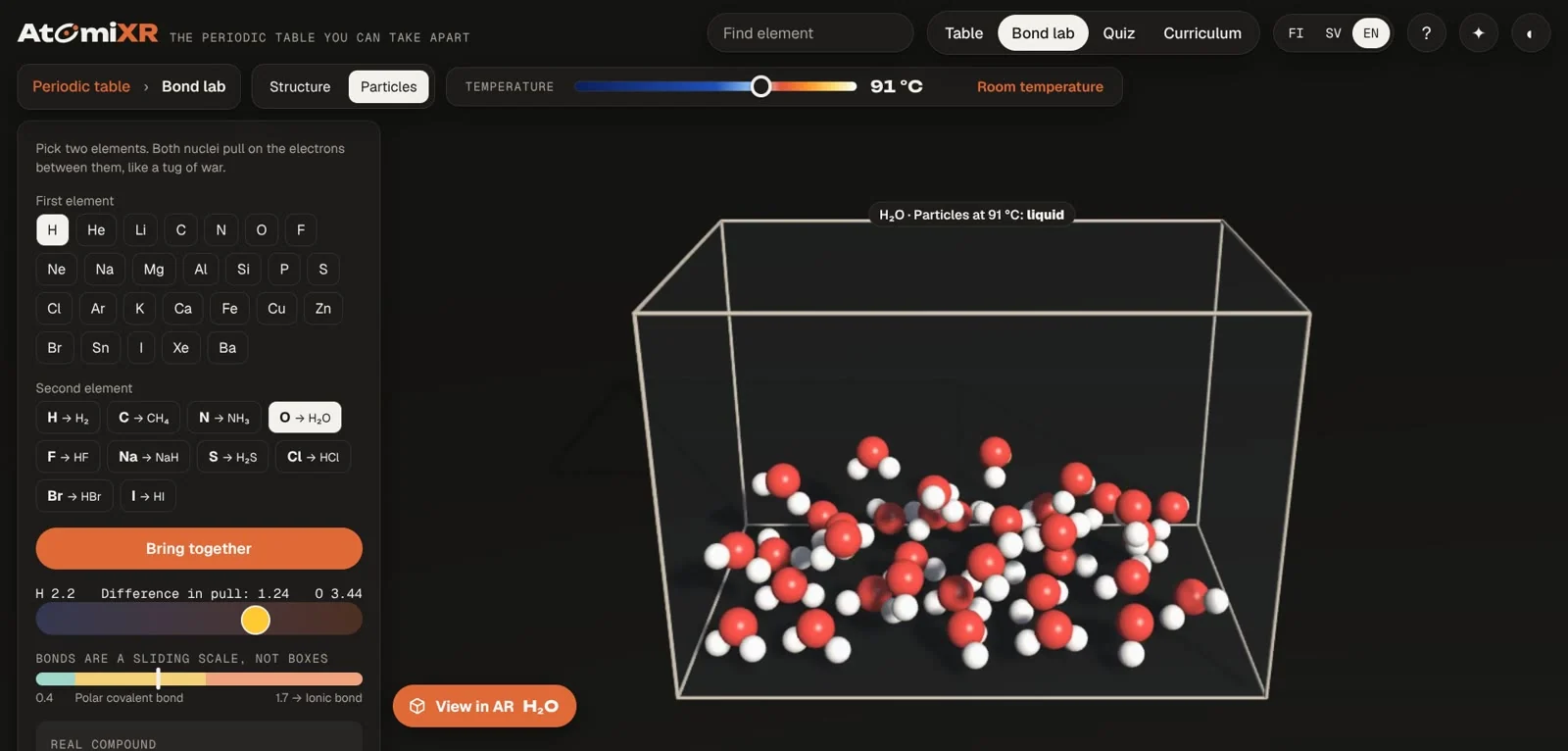
Switch any element or compound to Particles and change the temperature. The particles lock into a solid, slide past each other as a liquid and fly apart as a gas, at that substance's real melting and boiling points.
SOLID · LIQUID · GAS
REAL MELTING AND BOILING POINTS
05
Quizzes and games
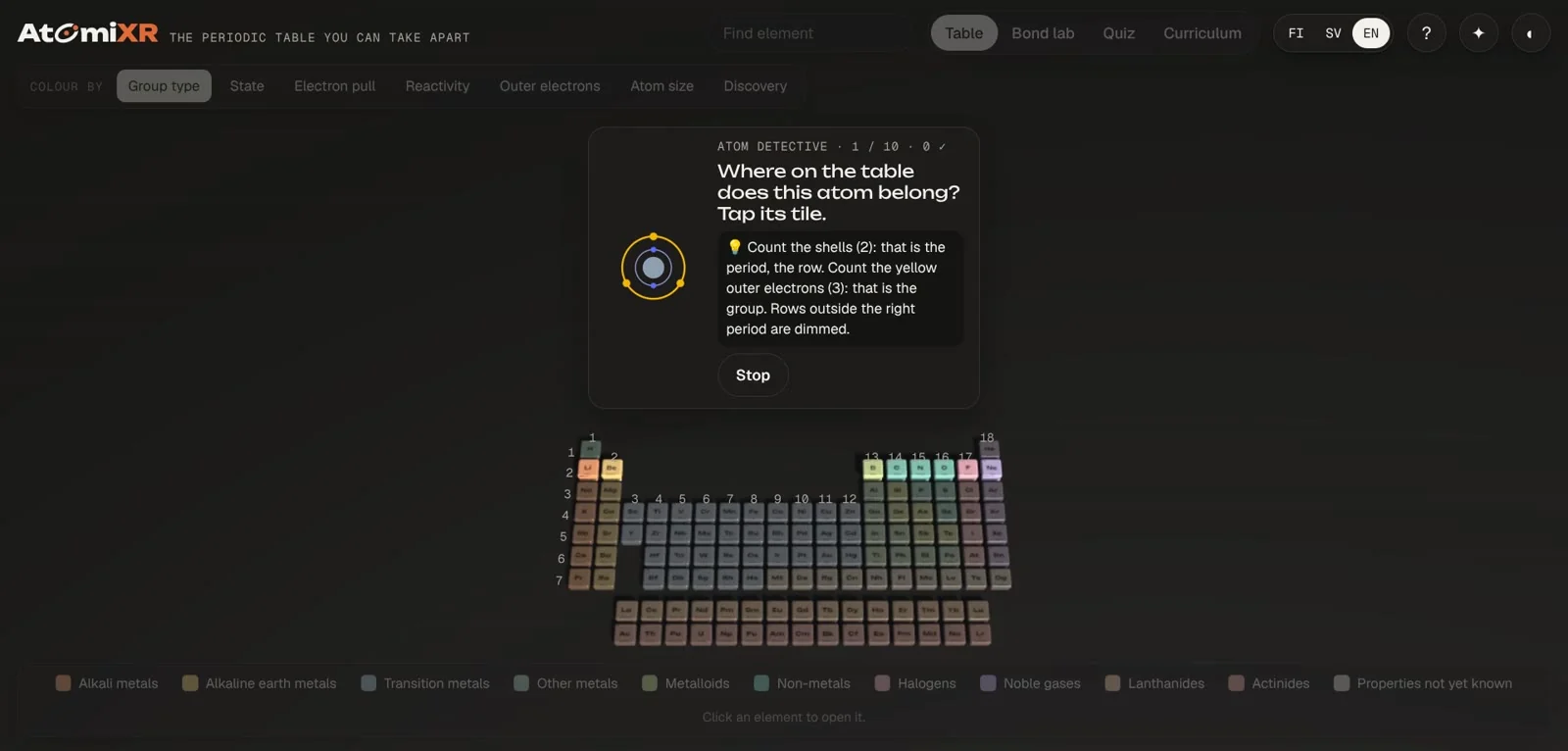
Quizzes by topic, with hints that teach instead of giving the answer away. Two games: Element hunt, and Atom detective, where a picture of an atom has to be placed on the table by counting its shells and outer electrons.
QUIZZES BY TOPIC
ELEMENT HUNT
ATOM DETECTIVE
HINTS
06
AR and XR
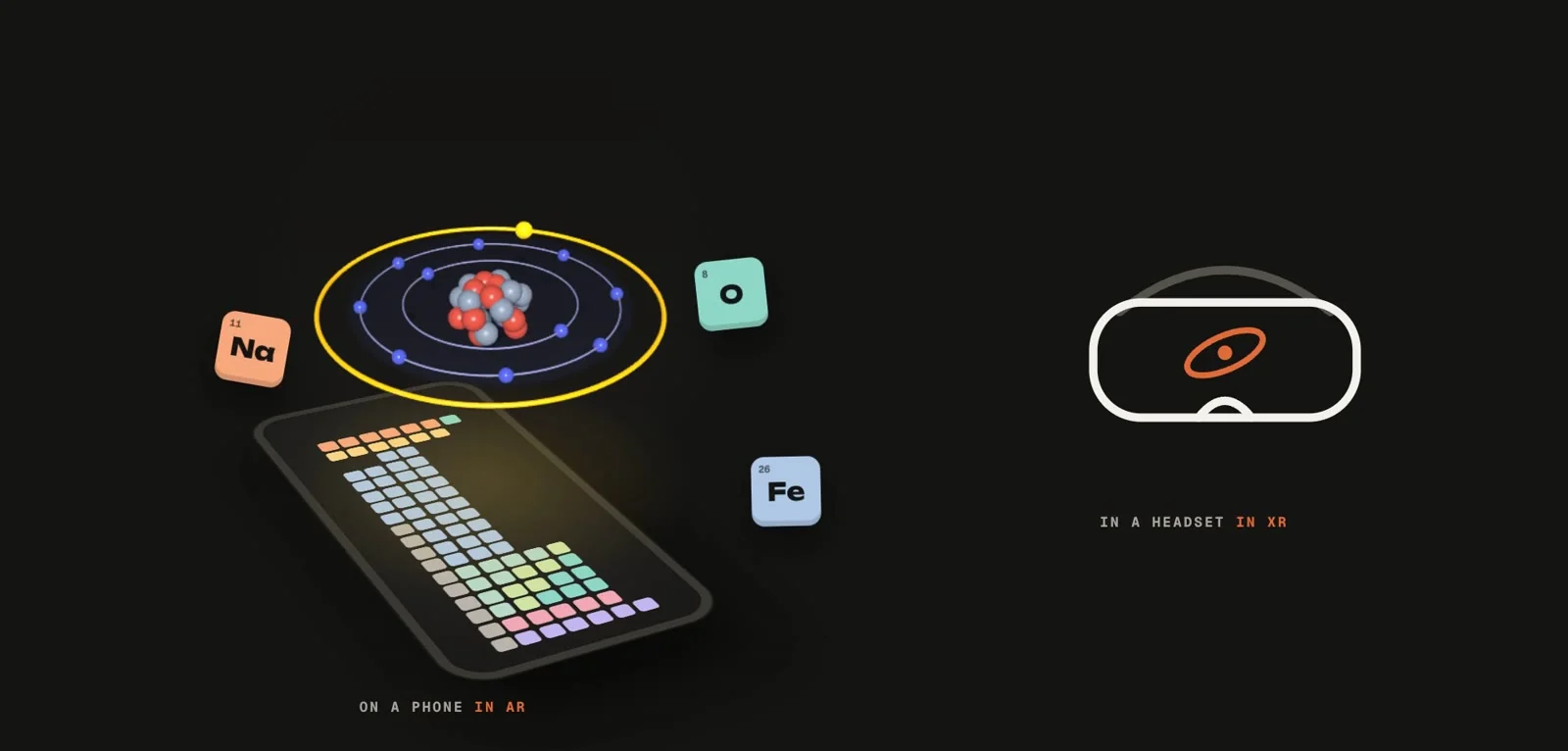
On a phone, place an atom or a molecule on the desk in front of you in AR. In a VR or mixed reality headset, the whole table surrounds you. Headset mode is in beta.
PHONE AR
HEADSET (BETA)
WEBXR
On a phone
The same thing, in a pocket
AtomiXR has its own phone layout, so pupils can use it on their own devices.
For teachers
Would you try it with your class?
Curriculum references.
The Curriculum tab shows how the app’s topics relate to the Finnish lower-secondary chemistry curriculum.
Share an exact view.
Copy a link that opens a chosen element, view or compound, and put it in your lesson material.
Teacher mode.
A cleaner view for the projector, without the first-visit tour.
Accessible.
Read aloud for texts, shapes as well as colours for the element groups, light and dark theme, three languages.
We are looking for teachers who want to try AtomiXR with a class and tell us what to fix. Write to frans@flyar.fi.
Who it is for
Chemistry teachers.
A model for the projector and a task for the pupils' own devices.
Curious learners.
Explore at your own pace, then test yourself.
Schools and municipalities.
A browser tool with nothing to install or manage.
Science centres and publishers.
The same approach works for other subjects and exhibitions.
FAQ
What is AtomiXR?
AtomiXR is an interactive 3D periodic table we built as a studio experiment. You can open every element as an atom model, build compounds in a bond lab, see solids, liquids and gases as moving particles, and practise with quizzes and games.
Who is it for?
Anyone curious about atoms and bonds can try it. We’d also like to see how chemistry teachers and pupils might use it in a lesson.
Did you use the Finnish curriculum as a reference?
Yes. We used Finland’s lower-secondary chemistry curriculum (POPS 2014) to choose topics. The Curriculum tab shows those connections. We haven’t tested AtomiXR in class yet.
Which languages does it support?
Finnish, Swedish and English. You can switch language at any time and your place is kept.
Do I need to install anything or create an account?
No. AtomiXR runs in the browser on computers, tablets and phones. There is no account and no login.
What does it cost?
AtomiXR is free to use for now. We might charge for some features later, but we haven’t decided yet.
Which devices and browsers work?
Any recent version of Chrome, Edge, Safari or Firefox on a computer, tablet or phone. A computer or tablet gives the most room; phones get their own layout.
How does the AR mode work?
On a phone, open an element or a compound and tap View in AR. The model appears on the surface in front of you through the phone's own AR viewer. AR opens from the full-screen version, not from the embedded frame on this page.
Does it work in a VR or mixed reality headset?
AtomiXR has a headset mode built on WebXR, with the table around you and the models in front of you. It runs on Meta Quest 3 and is in beta.
Does AtomiXR collect data about pupils?
AtomiXR has no accounts and asks for no personal information. Settings such as language and best scores are stored only in the browser on that device.
Where does the chemistry data come from?
Element data was checked against PubChem, the NIST Chemistry WebBook and Wikipedia. Atomic radii are covalent radii from Pyykkö and Atsumi (2009). The melting and boiling points of all compounds were checked one by one against Wikipedia and PubChem, and where sources disagree the app says so. Tap ⓘ Sources in the app to see the source of every value. The texts use the simplified school models on purpose, and say so where a model is a simplification.
Can flyAR build something like this for our subject or organisation?
Yes. AtomiXR is our own project, and we build interactive 3D, AR and XR for the web for clients. Write to frans@flyar.fi.